
Set up Accounting in NexoPOS
In NexoPOS 6.3.0, Accounting brings together your chart of accounts, manual expenses, posting rules and Transaction History. A rule tells NexoPOS which accounts to post to when a supported event occurs. Each journal records equal total debits and credits.
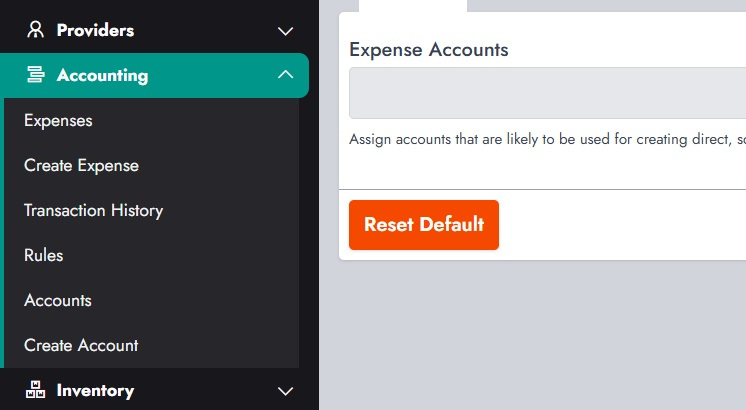
The Accounting menu with Expenses, Create Expense, Transaction History, Rules and Accounts
Configure expense accounts
Open the Accounting settings and select the General tab. Under Expense Accounts, choose the accounts staff should see when recording expenses. The example includes Rent, Utilities, Salaries & Wages, Other Expenses and Inventory Variance. Choose only accounts appropriate for your workflow.
Under Paid Expense Offset, select the account for the other side of a paid expense. The example uses 1007 Payment Clearing. With that setup, posting a 100 utility expense debits Utilities and credits Payment Clearing for 100. Reconcile clearing entries against the corresponding cash, bank or settlement records.
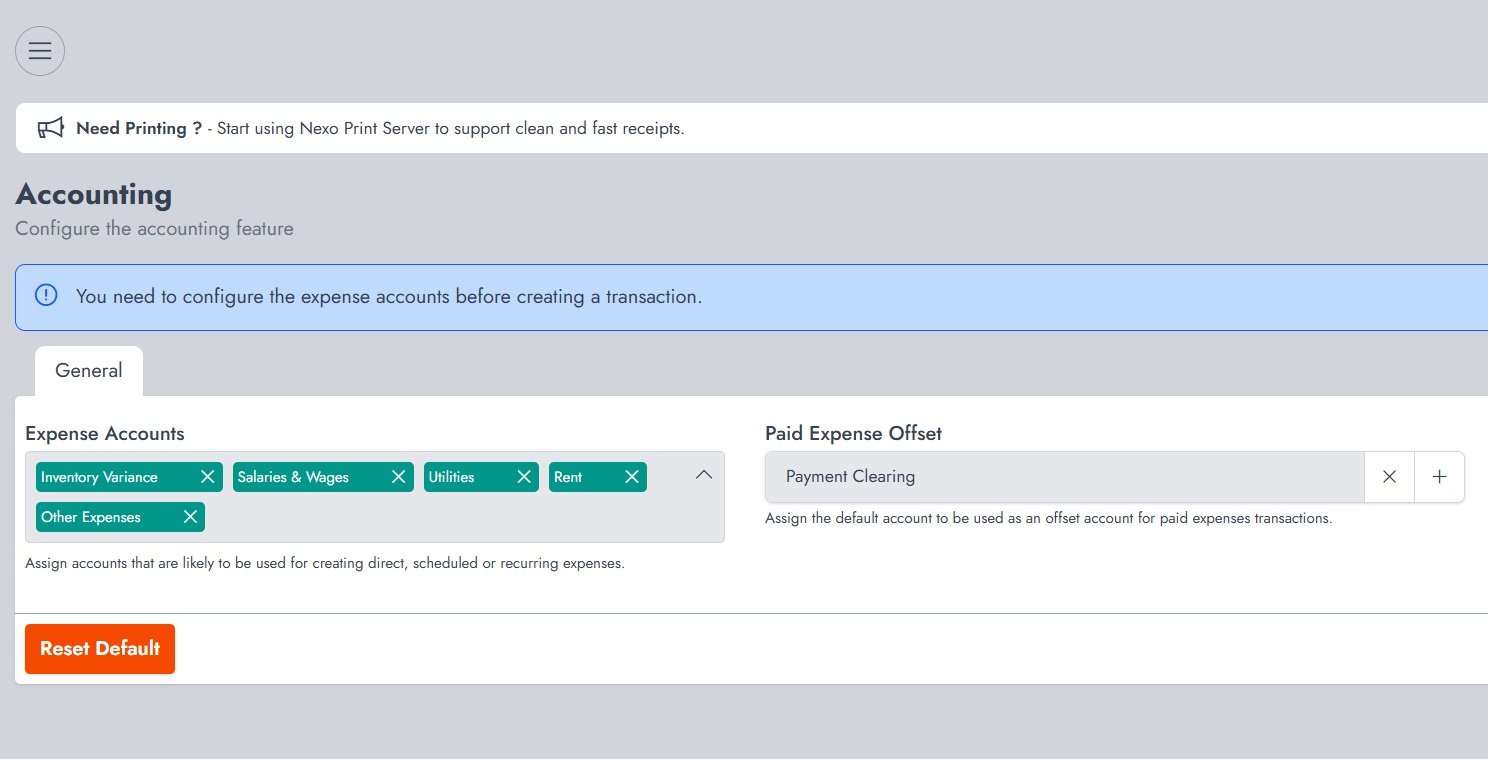
Accounting settings showing Expense Accounts and Payment Clearing as the paid expense offset
Reset Default clears accounting data
Use Reset Default only when intentionally starting over. In 6.3.0 it clears transaction history, journals, expense definitions, rules and accounts before rebuilding the defaults.