
Billing, Organizations & Refunds
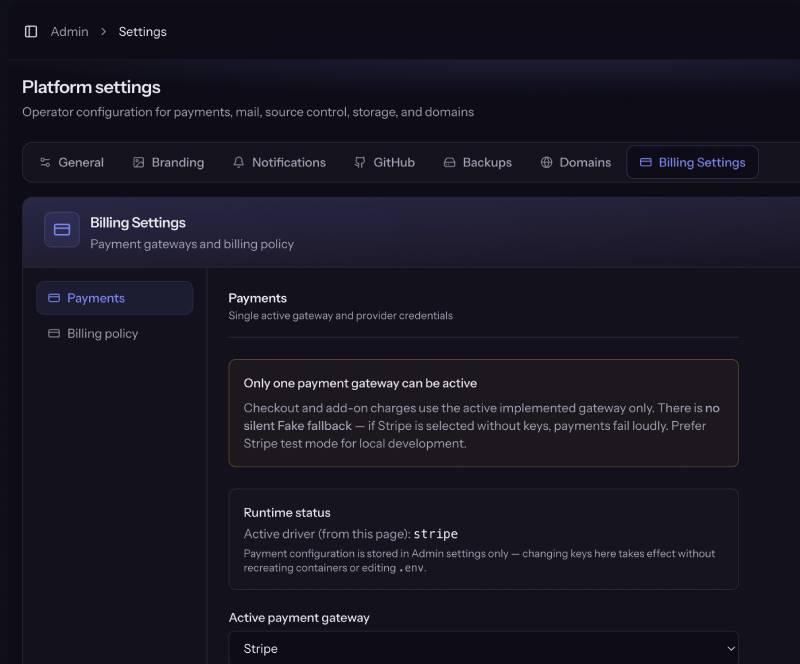
Billing Settings
Model
- One active gateway for the whole platform (no multi-provider cart).
- Credentials and active driver: Admin → Settings → Payments.
- Webhooks: POST /webhooks/{driver} (CSRF-exempt).
Available providers
| Driver | Implemented | Best for |
|---|---|---|
| stripe | Yes | Global cards, Checkout, mature subscriptions |
| paddle | Yes | Merchant of Record, tax-heavy SaaS |
| mollie | Yes | European methods + recurring mandates |
| airwallex | No (credentials UI only) | Future multi-currency; not selectable yet |
| fake | Tests only | PHPUnit; blocked by launch-check in production |
Operator checklist
- Choose Active payment gateway.
- Paste API keys + webhook secret for that provider.
- Register production webhook URL on the provider dashboard.
- Run a test checkout with test keys before going live.
- Never leave Fake as a silent fallback — misconfiguration errors loudly.
Subscription model (summary)
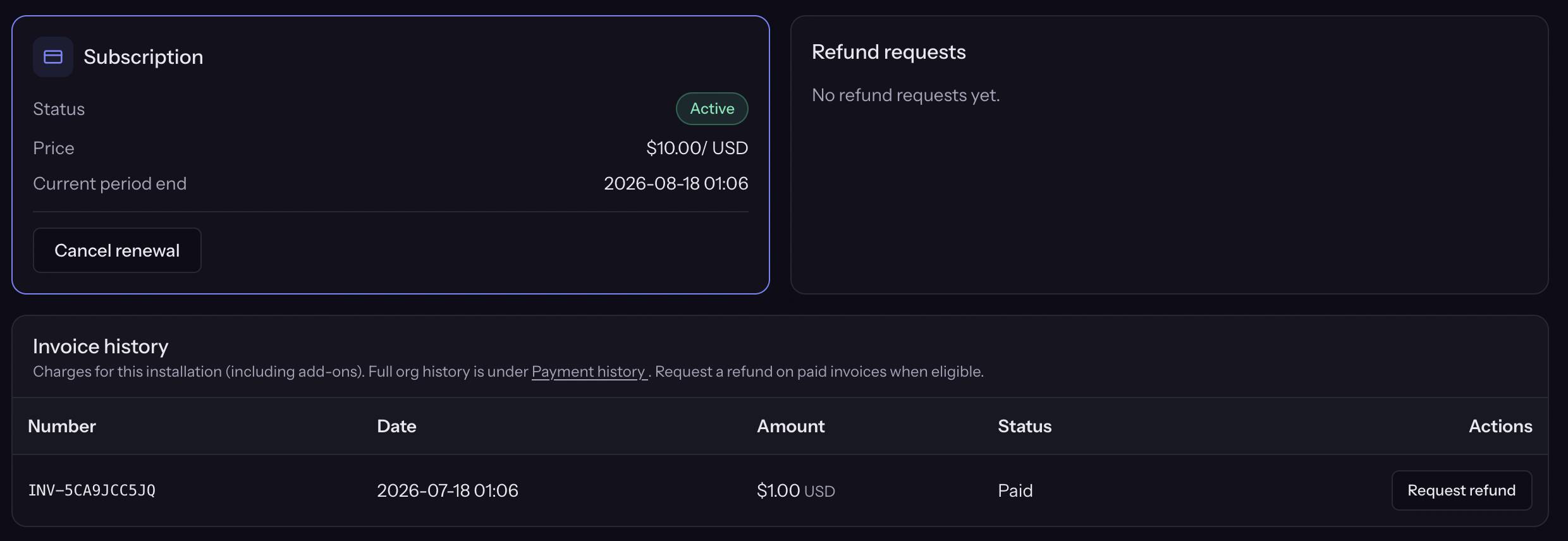
- One subscription per installation (not per org).
- Add-ons attach to that installation subscription / entitlement.
- Provider customer object maps to the organization billing profile.
- Cancel renewal: usable until period end, then soft-delete path (business rules).
- Payment failure: dunning → grace banner → suspend → soft-delete → hard-delete after retention days.
Grace and retention: Admin → Settings → Billing
Scheduled job: billing:process-lifecycle (Compose scheduler).
Refunds
Customer flow
- From the installation Billing tab, an entitled org member submits a refund request (optional invoice reference).
- Only one pending request at a time per install (enforced in service).
- Customer is notified of approval/rejection by email when SMTP works.
Admin flow
- Admin → Refunds lists pending requests.
- Approve or Reject.
Screenshot placeholder: Admin Refund Requests list with Approve / Reject
What happens on approve
Rough sequence (BillingService::approveRefund + gateway):
- Call payment provider refundLatestPayment (full or partial per implementation).
- Cancel the provider subscription.
- Mark the installation for immediate terminate / soft-delete.
- Set hard_delete_after using refund_hard_delete_days (default 7 days, not the 30-day normal soft-delete window).
- Suspend edge access so the storefront is offline.
- Notify the customer.
- When hard_delete_after elapses, lifecycle job hard-deletes: purge backups, destroy host resources, remove tenant data as implemented.
Side Effects (operator messaging)
| Topic | Effect |
|---|---|
| Money | Provider refund of the latest payment path (gateway-specific). |
| Access | Installation stops being usable quickly (soft-deleted / suspended). |
| Data retention | Short window (default 7 days) then hard delete. |
| Backups | Purged on hard delete path. |
| Re-open | Not a simple “undo”; customer would need a new installation/checkout. |
Contrast with other exits
| Action | Typical effect |
|---|---|
| Cancel renewal | Runs until period end; then soft-delete with longer retention |
| Approved refund | Immediate terminate path; shorter hard-delete (default 7 days) |
| ToS suspend (admin) | Offline; no automatic refund |
| Payment failure | Grace banner → suspend → soft-delete rules |
Organizations and seats
Personal organization
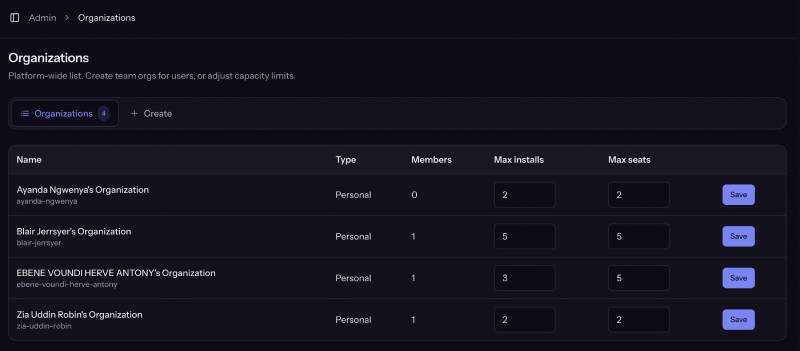
Created automatically on signup. User is the owner. Limits come from:
- Admin → Settings → Deployments → default max installations / max seats
- Or admin overrides on the organization record
Team organizations
Owners/admins can create team orgs (see customer org UI). Seats and installation caps apply per organization.
Roles
| Role | Typical powers |
|---|---|
| Owner | Full org control, billing, members |
| Admin | Manage members & installs |
| Member | Work on installations (no full billing admin) |
| Billing | Billing-focused access |
Exact gates follow policies in the app; treat owner/admin as privileged.
Invites
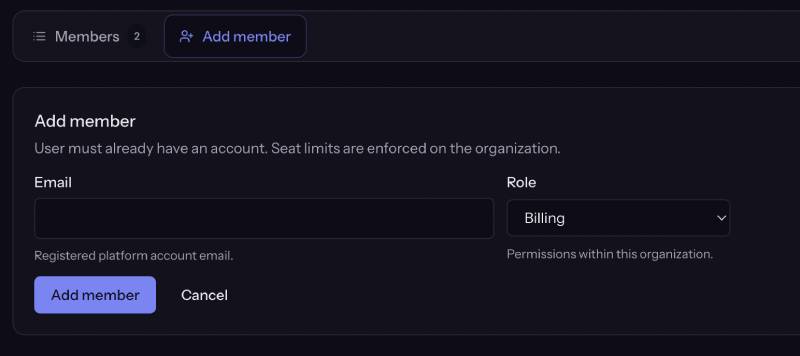
- Invites target existing platform users (email must already have an account).
- There is no MVP “invite email that creates an account from scratch”.
- Seat check: cannot invite beyond max_seats.
Admin overrides
Platform admins can raise/lower max_seats and max_installations per organization from the admin organizations UI when available.