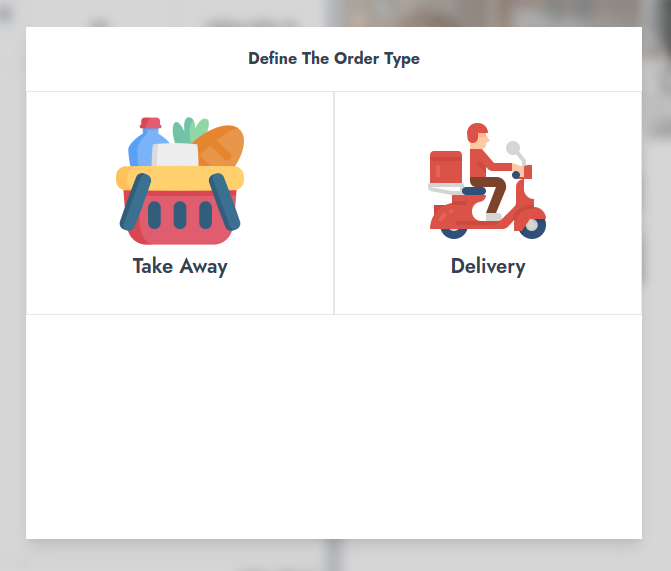
Order Type
To make a sale on NexoPOS, the order type must be defined. If it's not the case, you can still create them manually. By default, NexoPOS supports 2 order types :
- Take Away
- Delivery
Take Away
This should be assigned for sales of which products (goods) will be taken away by the customer himself. It can also be called a "pickup" order. If you're in a grocery store, every customer who comes in typically will make a Take-Away order.
Delivery
As the name suggests, we're here dealing with an order that needs to be delivered to a specific address provided by the customer. The customer might come to the store to place an order that should be delivered to his location.
Configuring Order Types
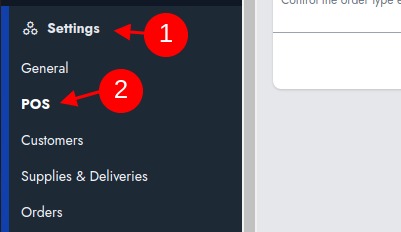
As mentioned above, you need to choose at least 1 order type to be able to place an order on NexoPOS. For configuring an order type, we need to head to "Settings > POS > Features".
The "Features" is a tab that has various options regarding the features of the Point of Sale.
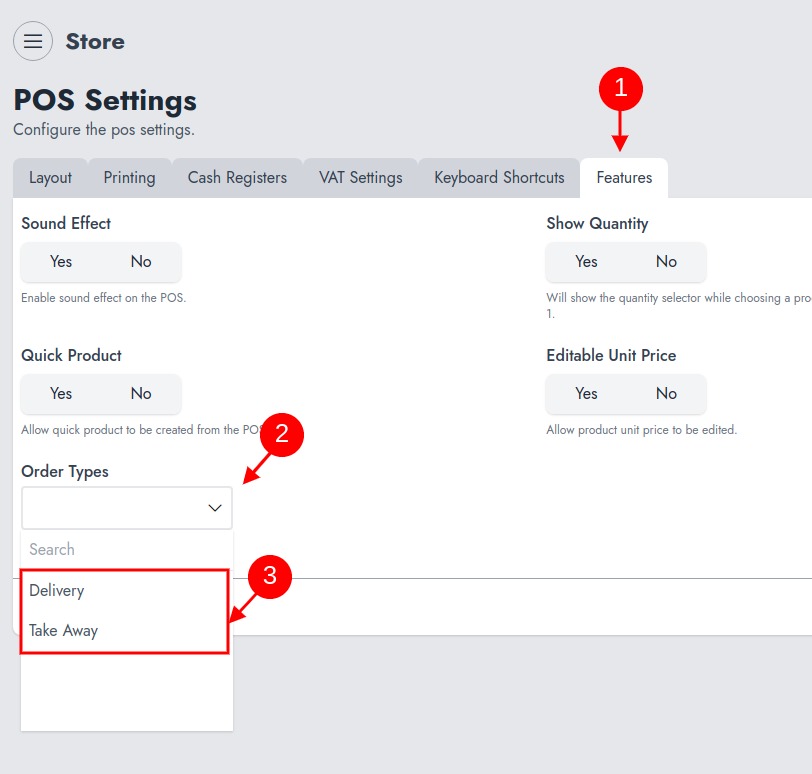
Make sure to choose the order type that you want to see in action on the POS and save the settings.
Order Type In Action
Now that we've set the order types, by making a sale, we'll see them in action.