
Viewing Product Quantities
NexoPOS provides multiple ways to check the available quantity of a product across all its assigned units. This is especially useful when products use multiple units such as piece, box, or pack.
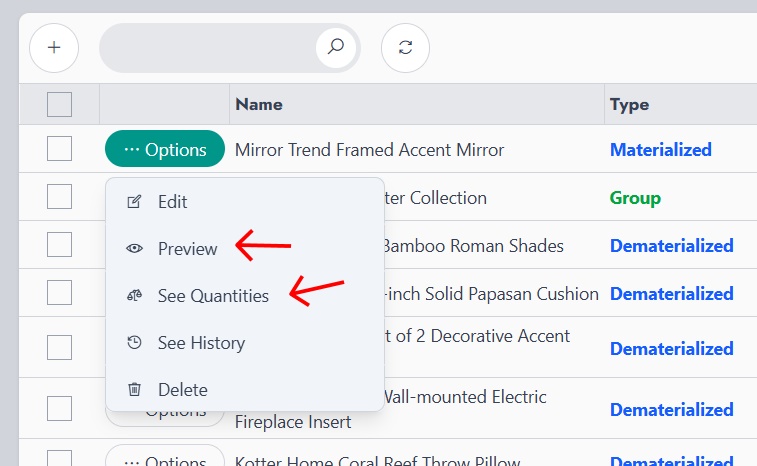
From the product list, open the options menu of a product. Two options allow access to quantity information: Preview and See Quantities.
Using Preview
The Preview option opens a modal that displays product details, including a tab named Units & Quantities.
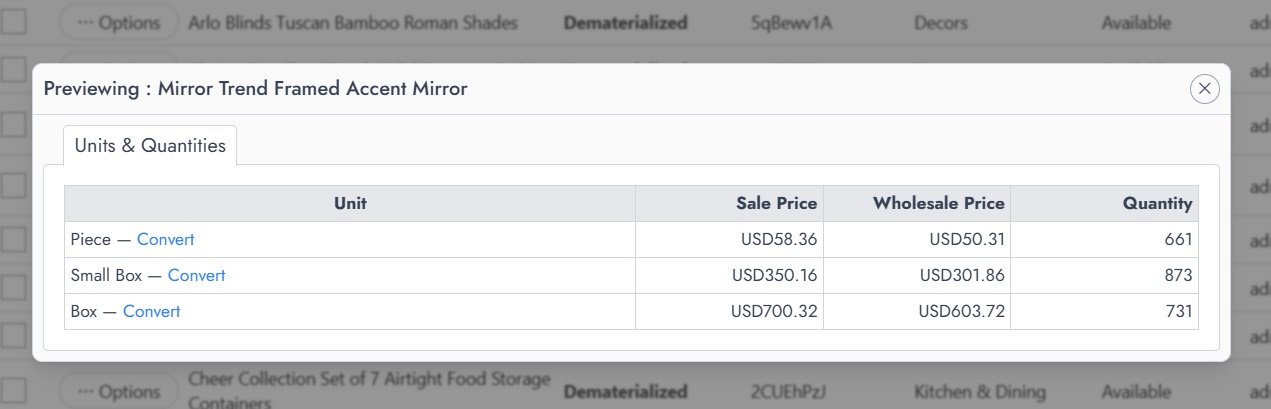
Within this view, each row represents a unit assigned to the product. The table shows:
- The unit name
- The sale price
- The wholesale price
- The available quantity
This option is useful for quickly reviewing both pricing and stock levels without leaving the product list.
Using See Quantities
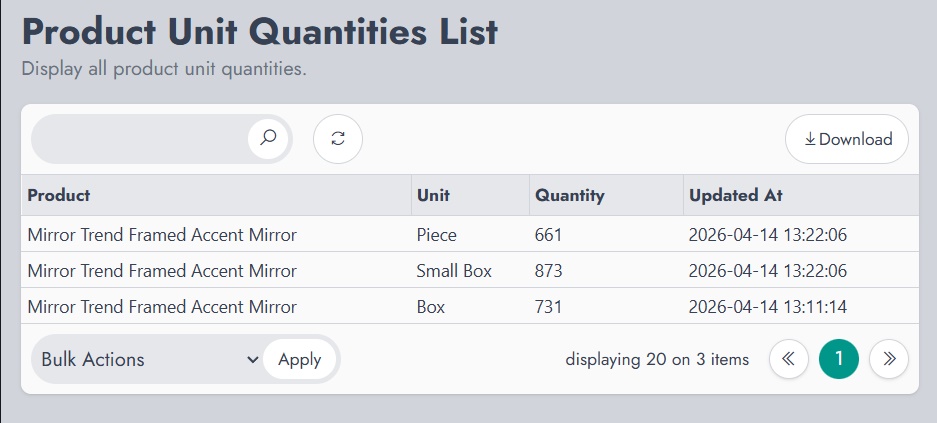
The See Quantities option opens a dedicated page that lists all quantities for the product across its units.
This page provides a focused view of stock information and includes:
- The product name
- The unit
- The available quantity
- The last update date
This view is more appropriate for inventory checks or when a clearer overview of stock levels is needed.