
Creating Providers
A provider represents a supplier from whom your business purchases goods. Providers are an essential part of inventory management, as they allow you to track where products come from and manage procurement efficiently.
Providers are mainly used when creating procurements, where each purchase is linked to a specific supplier. This helps maintain clear records of stock sources and financial obligations.
Why Providers Are Important
Providers serve multiple purposes:
- Supplier Management: Keep a centralized list of all your suppliers
- Procurement Reference: Assign a provider to each procurement
- Financial Tracking: Monitor how much is paid or owed to each provider
- Reporting: Analyze purchasing activity per supplier
This makes providers essential for both operational and accounting workflows.
Creating a Provider
To add a new provider:
- Open the Providers menu Click on Create A Provider
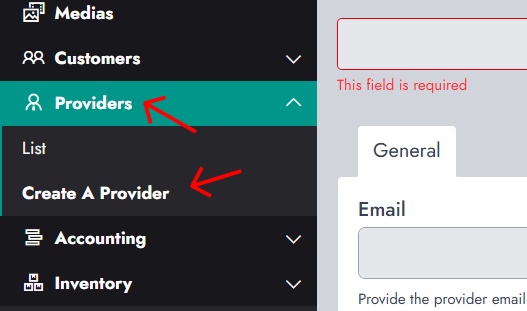
You will be asked to provide basic information about the supplier.
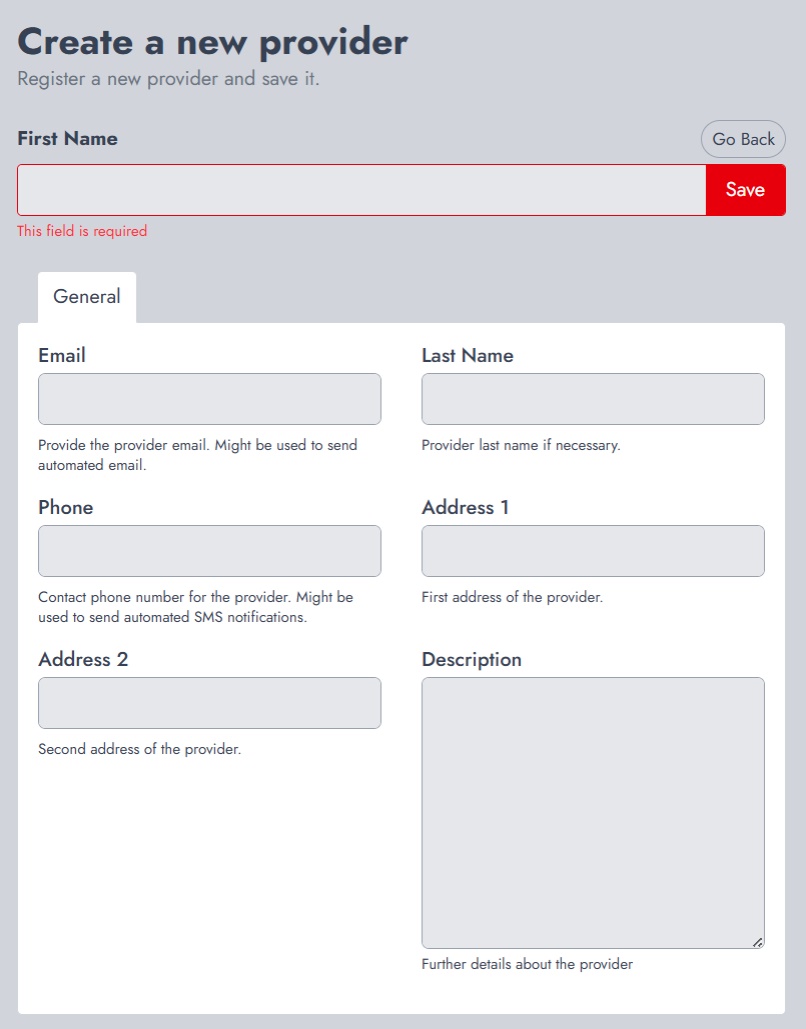
Fill in the following details:
- First Name / Last Name: Name of the provider or company representative
- Email: Used for communication or notifications
- Phone: Contact number
- Address: Physical location of the provider
- Description: Additional notes or details
Once saved, the provider becomes available for selection during procurement.
Using Providers in Procurement
When creating a procurement, you can assign a provider to indicate where the goods are coming from.
This allows:
- Better traceability of purchased products
- Easier communication with suppliers
- Organized purchase history per provider
Providers List Overview
To view all providers, go to Providers → List
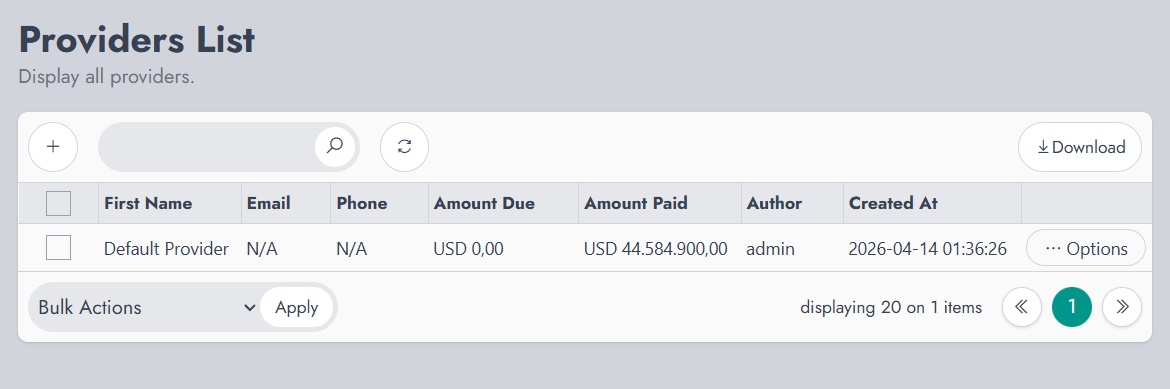
The providers list displays important information such as:
- Contact details
- Amount Due: Total unpaid purchases
- Amount Paid: Total payments made
- Creation details
This overview helps track your financial relationship with each supplier.
Tracking Payments
Providers also help monitor outstanding payments:
- Amount Due shows how much you owe a provider
- Amount Paid shows how much has already been settled
This makes it easier to manage supplier debts and maintain accurate accounting.