
Manage the Chart of Accounts
Open Accounting → Accounts. The Accounts List shows the account category, its parent under Sub Account, and the account number. Search for an account or use Download to export the list.
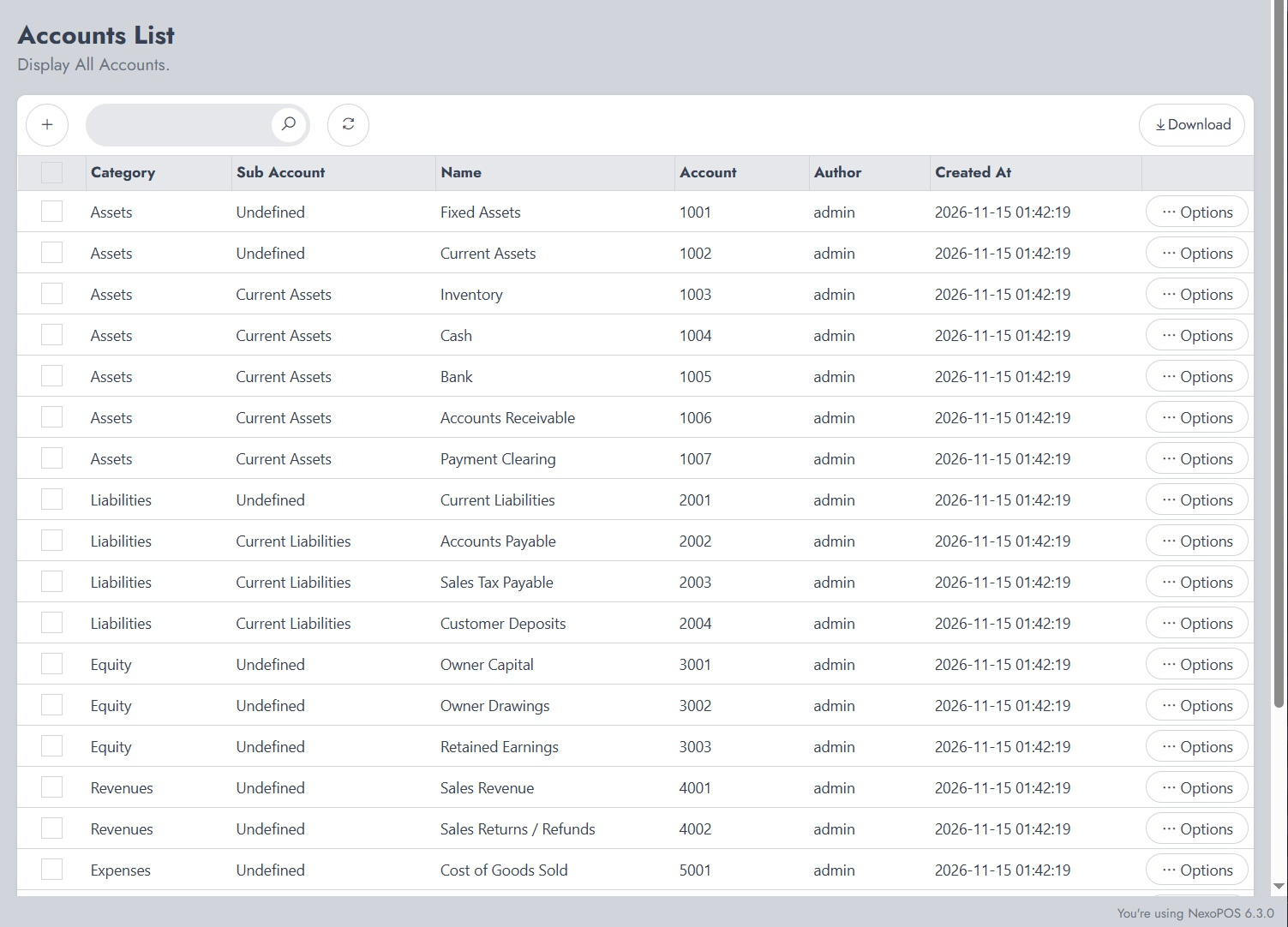
Accounts List showing account codes, categories and parent accounts
For example, 1003 Inventory, 1006 Accounts Receivable and 1007 Payment Clearing are assets under Current Assets. Accounts Payable, Sales Tax Payable and Customer Deposits are liabilities. Sales Revenue is a revenue account and Cost of Goods Sold is an expense account.
Create an account
Open Accounting → Create Account. Enter a Name, choose the category under Main Account, and choose a Sub Account if the new account belongs under an existing account. Enter your account number in Account or leave it blank for NexoPOS to generate one. Add a description if helpful and select Save.
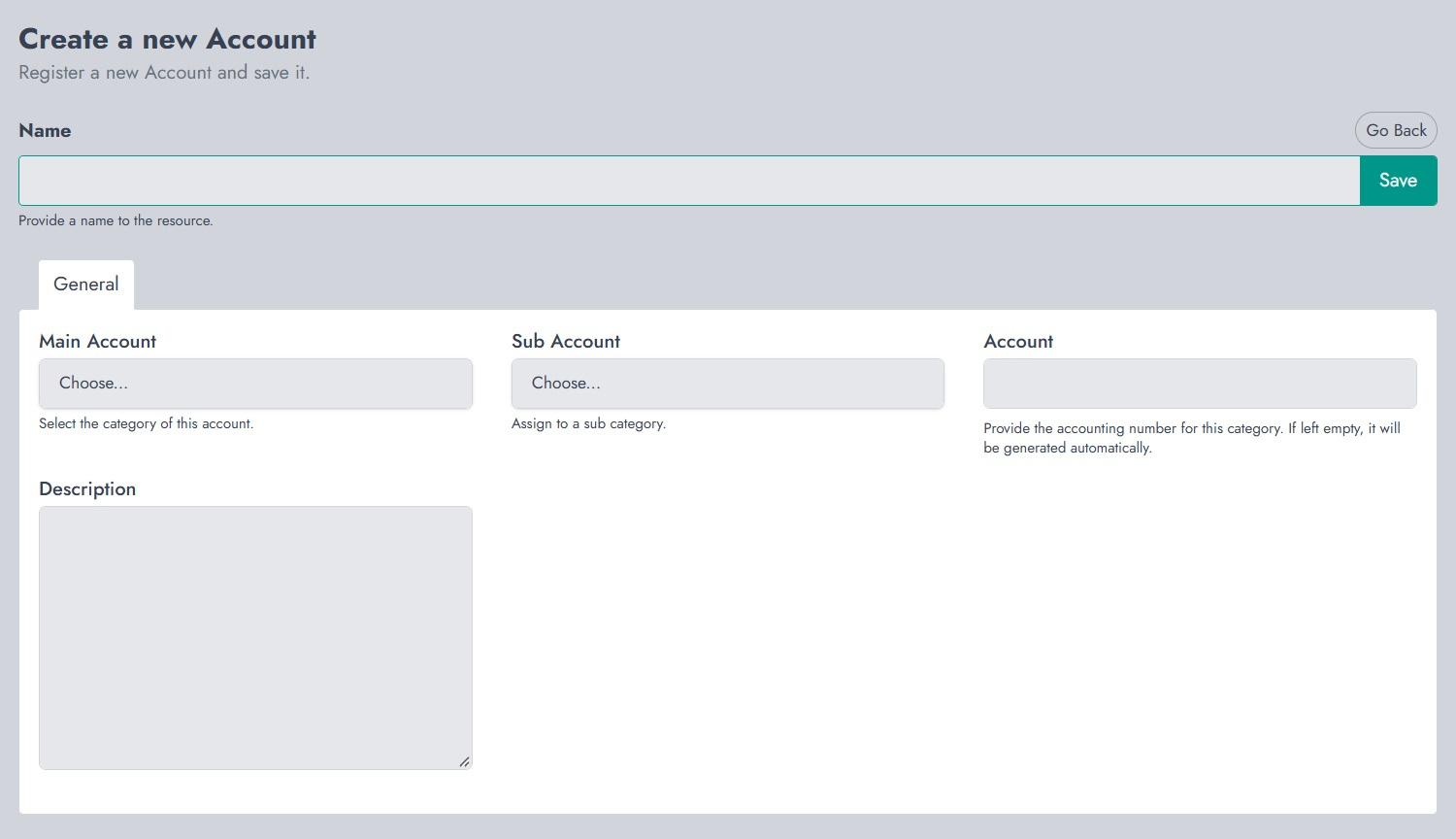
Create Account form with Main Account, Sub Account and Account fields
If staff should be able to select a new expense account, add it to Expense Accounts in Accounting settings after saving.