
No Default Customer
When a "no default customer" error appears, it means that either the default customers on the system have been deleted or you haven't set any default customers in the settings.
Note that this error won't prevent you from making a sale, but you'll instead have to select a customer for each sale.
Fixing The Error
In order to fix the error, you need to head to Settings > Customers and make sure to select a customer who'll be used for every sale by default (in case you don't choose another customer).
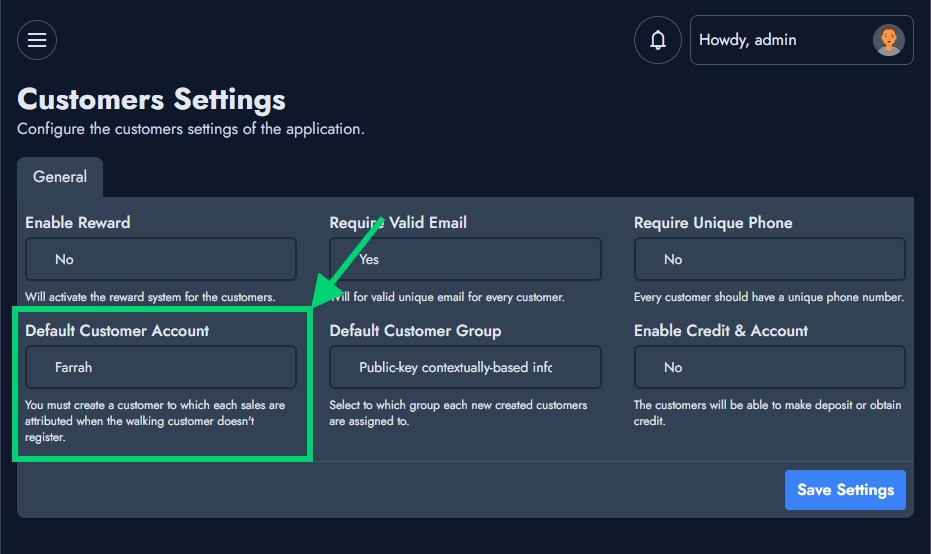
By the end of your selection, make sure to save the settings.