
Platform & Settings
All product configuration lives under Admin → Settings (stored in platform_settings).
Changing keys here does not require recreating Docker containers. Path: /dashboard/admin/settings (group query, e.g. ?group=payments).
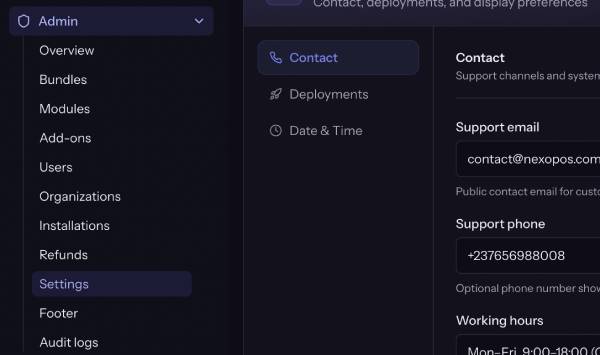
Screenshot placeholder: Admin → Settings shell with left/vertical groups
Infrastructure-only items (DB, Redis, APP_URL, host agent) stay in .env — see 01.
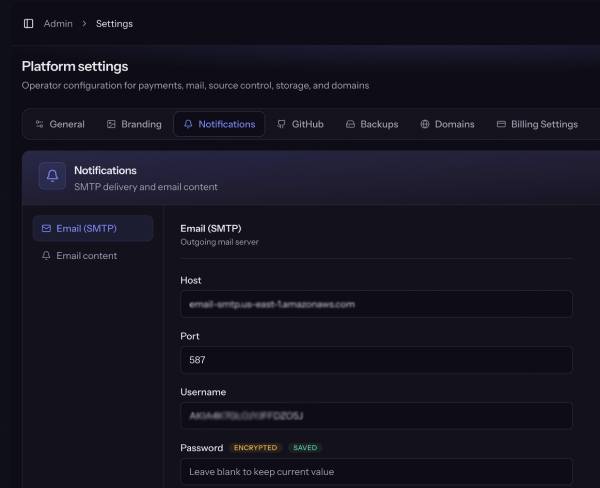
SMTP
Required for a production-like platform: verification, password reset, billing, deploy results, refund notifications.
| Field | Purpose |
|---|---|
| Host / Port | e.g. smtp.mailgun.org / 587 |
| Username / Password | Provider credentials (password encrypted) |
| Encryption | tls, ssl, or empty |
| From address / name | Outbound identity |
| Admin alert emails | Comma-separated ops alert recipients |
If SMTP host is empty, the app may fall back to the .env mailer (often log in Docker — messages go to logs, not inboxes).
How to test: configure SMTP → open an unverified user → Resend verification → confirm inbox.
GitHub
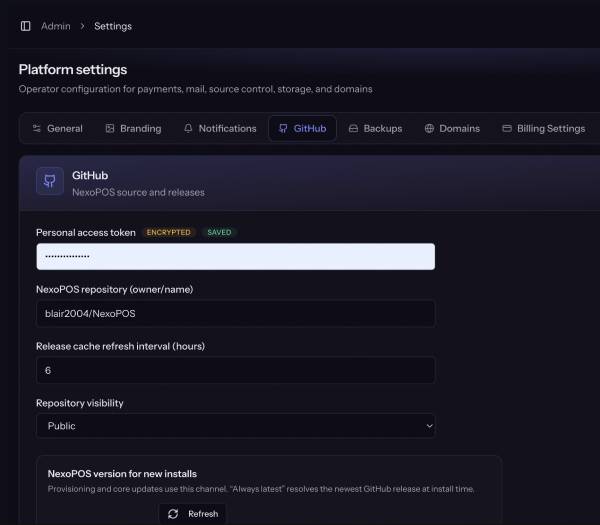
Used to pull NexoPOS core releases and module sources from GitHub.
| Field | Purpose |
|---|---|
| Personal access token | Required for private repos (and higher rate limits) |
| NexoPOS repository | owner/name (default open-source NexoPOS) |
| Visibility | public or private |
| Install channel | latest or pinned |
| Pinned version / ref | Used when channel is pinned |
| Release cache hours | Scheduler refresh interval (min 1h); manual refresh still allowed |
Public NexoPOS: token optional for public rate limits, still recommended.Private forks / private modules: create a fine-grained or classic PAT with repo (or contents read) and save it here.
Module versions can also be uploaded as a ZIP file without GitHub.
Billing (Payments)
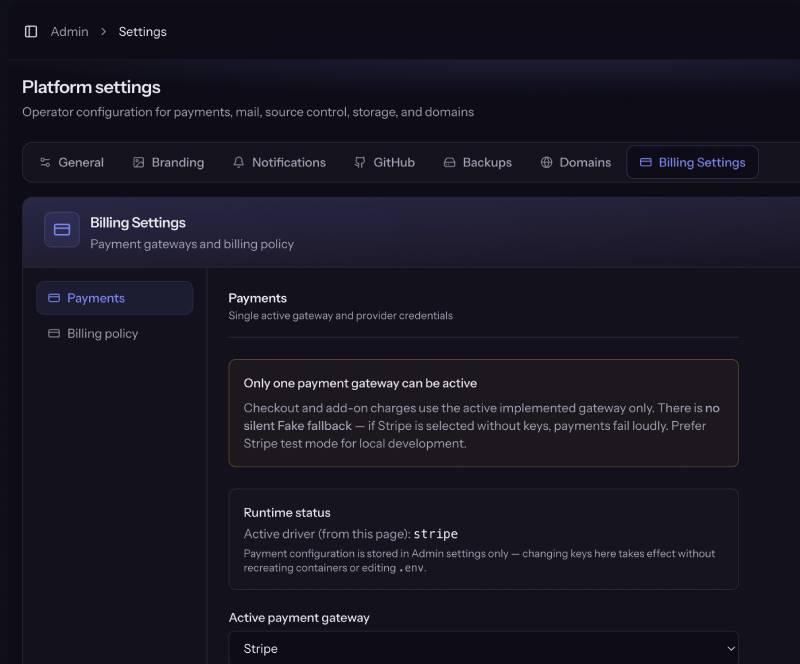
Only one gateway is active for checkout and mid-lifecycle charges.
| Provider | Status | Notes |
|---|---|---|
| Stripe | Implemented | Cards + Checkout; best default |
| Paddle | Implemented | Merchant of Record / Billing API |
| Mollie | Implemented | EU methods; first payment + recurring |
| Airwallex | Credentials only | Not selectable until a driver ships |
| Fake | Tests only | Never production; launch-check rejects |
Configure Stripe (example)
- Active payment gateway → Stripe.
- Publishable key, secret key, webhook secret.
- Production webhook endpoint: https://{APP_HOST}/webhooks/stripeEvents: checkout.session.completed, invoice.paid, invoice.payment_failed, customer.subscription.deleted (and any additional events your driver expects).
- Local test: Stripe CLI → see
Paddle and Mollie follow the same pattern (API key + webhook secret; Paddle also has sandbox/production environment).
Screenshot placeholder: Admin → Settings → Payments — active driver + Stripe
Legacy env-only installs can import once:
php artisan platform:import-env-settings
Then remove product secrets from .env.
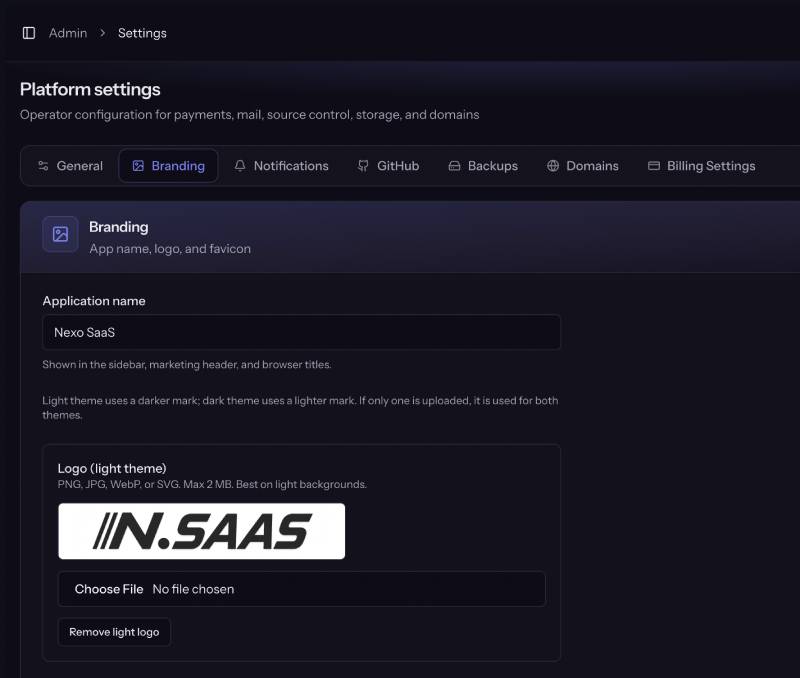
Branding
| Field | Purpose |
|---|---|
| App name | Sidebar, titles, marketing |
| Logo (light / dark) | Theme-aware logos |
| Favicon | Browser tab |
Date & time
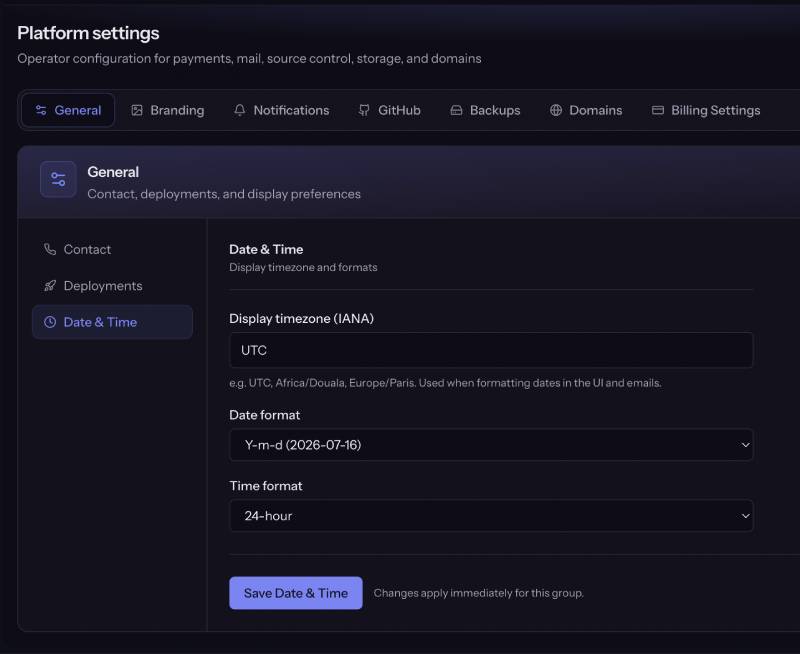
Controls how dates appear in the control plane UI and emails (not raw ISO in Vue).
| Field | Examples |
|---|---|
| Timezone | IANA, e.g. UTC, Africa/Douala, Europe/Paris |
| Date format | Y-m-d, d/m/Y, m/d/Y, d M Y |
| Time format | 24h or 12h |
Stored as platform prefs and shared via Inertia platform props.
General & suspension page
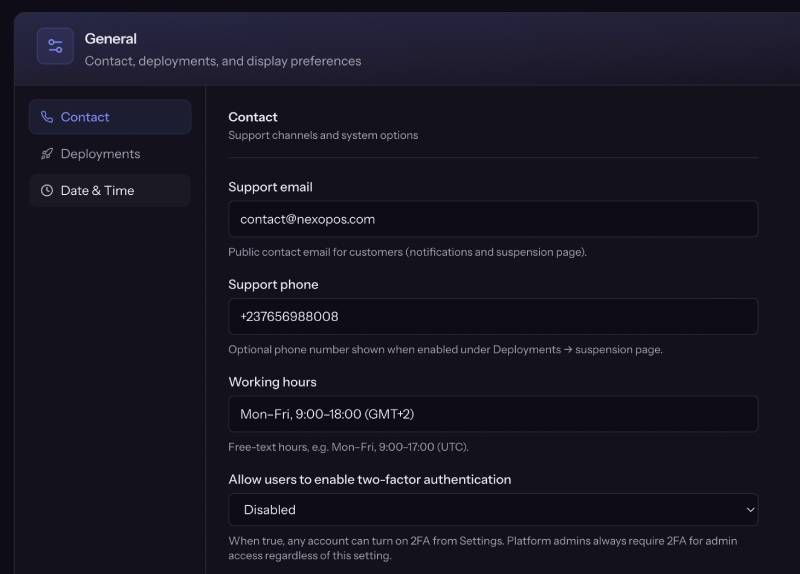
General
| Field | Purpose |
|---|---|
| Support email | Public contact; used on suspension page when enabled |
| Support phone / hours | Optional contact details |
| Two factor available | Allow customers to enable 2FA |
Deployments (limits + offline page)
| Field | Purpose |
|---|---|
| Default max installations | Applied to new personal orgs |
| Default max seats | Applied to new personal orgs |
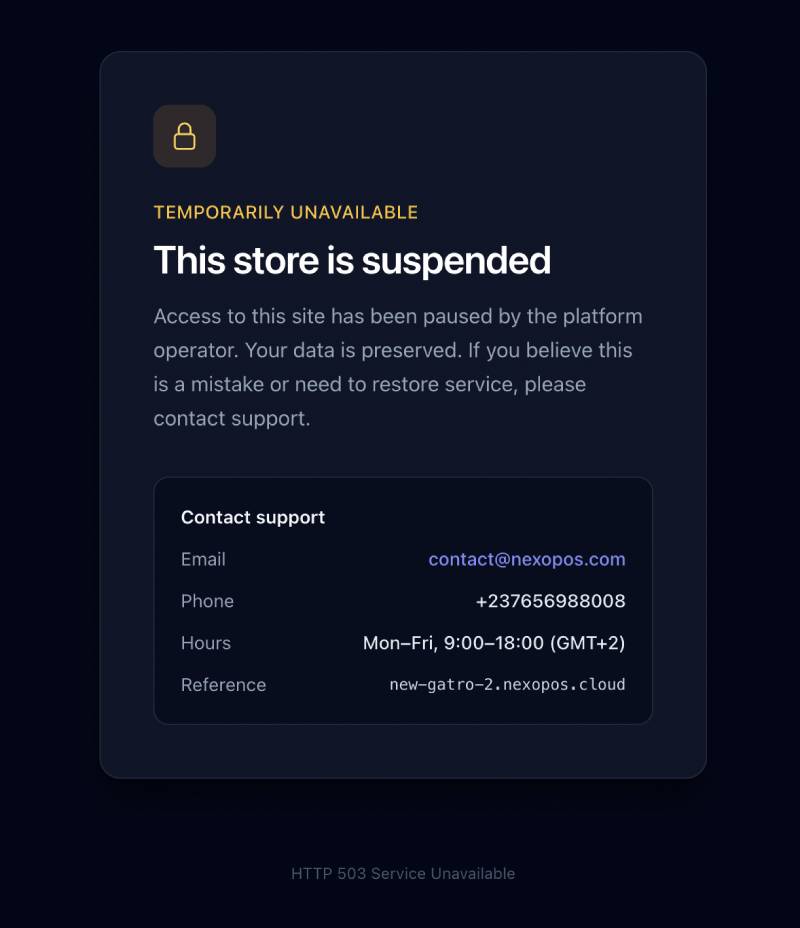
| Show suspension reason | Offline/suspended tenant page |
| Show support email / phone / hours | Same offline page |
When an install is suspended (payment failure, ToS, refund path, etc.), visitors see the platform suspended page. These toggles control what contact information and reason text appear.
Screenshot placeholder: Admin → Settings → Deployments / suspension toggles
S3 & backups
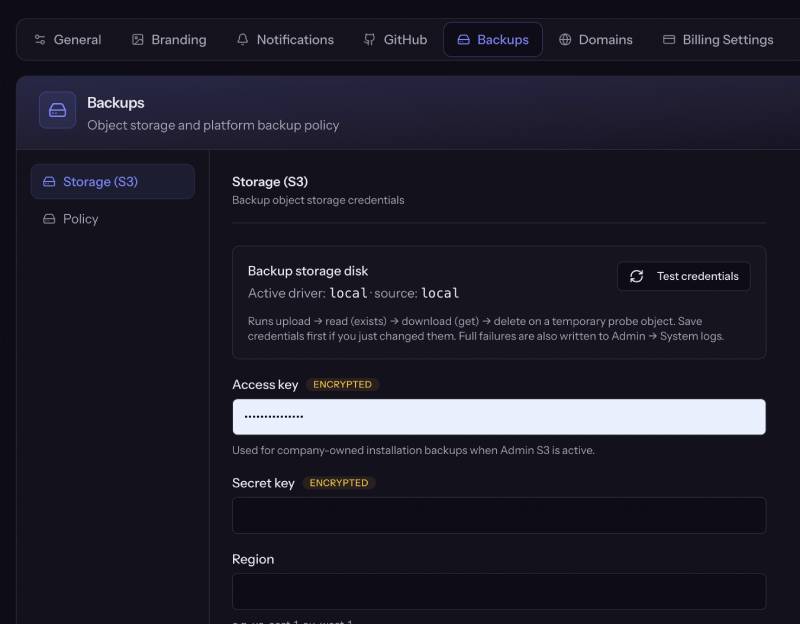
Backups are company-owned S3-compatible storage only (no customer Drive/OneDrive in MVP).
S3 group
| Field | Purpose |
|---|---|
| Key / Secret | Access credentials (encrypted) |
| Region / Bucket | Destination |
| Endpoint | Empty for AWS; set for MinIO, R2, etc. |
| Path-style | Provider-specific |
Incomplete Admin S3 does not silently fall back to local disk for real backup writes. Use the Admin test storage action when available.
Backups group
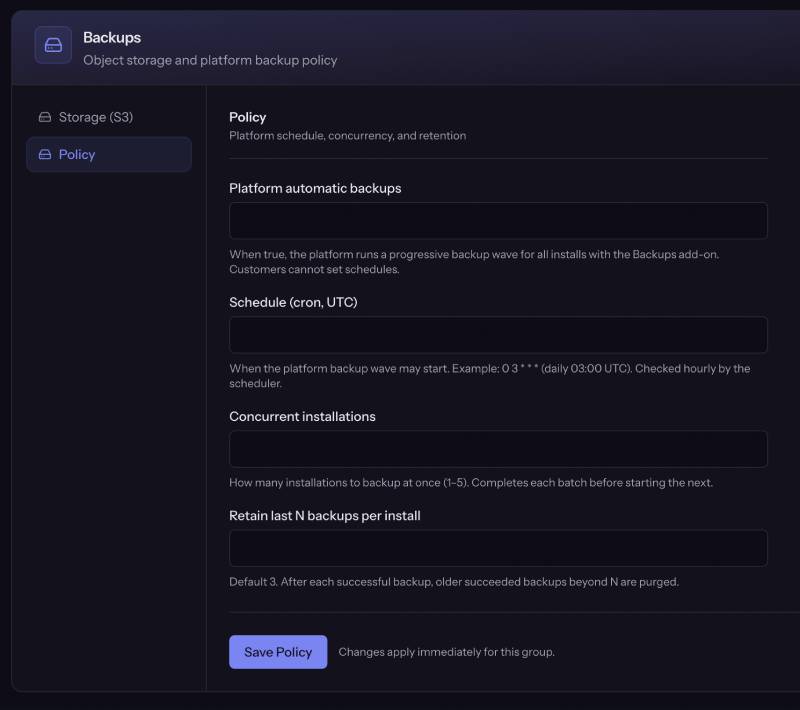
| Field | Purpose / default |
|---|---|
| Platform automatic backups | Progressive wave for installs with the Backups add-on |
| Schedule cron (UTC) | e.g. 0 3 * * * |
| Concurrency | 1–5 installs at a time |
| Keep last N | Retention of succeeded backups per install (default 3) |
Customers cannot set their own backup schedule; they get manual backups + platform auto when entitled.
Catalog: publish an add-on with feature key backups.
Domain
| Field | Purpose |
|---|---|
| Platform base domain | Suffix for free install hostnames |
| Custom domain mode | free / addon / disabled |
| Public IPv4 / IPv6 | Shown on customer Domain tab for DNS |
| Max verified domain changes / day | Per install; LE rate protection |
When mode is addon, customers need an active Custom domain add-on (feature_key = custom_domain) before attaching a hostname.
Billing retention
| Field | Default | Meaning |
|---|---|---|
| Grace period (days) | 3 | After trial/period end: install stays online with renewal banner, then suspend |
| Soft-delete retention (days) | 30 | After soft-delete (cancel path, etc.) before hard purge |
| Refund hard-delete (days) | 7 | After approved refund soft-delete before hard purge |
Lifecycle is driven by scheduled billing:process-lifecycle (Compose scheduler service).
Notifications
| Field | Purpose |
|---|---|
| Email footer | Appended to outbound mail |
| Support URL | Link in emails / help surfaces |
Settings order for a new platform
- Domain — base domain + public IP
- SMTP — real mail
- Payments — Stripe (or Paddle/Mollie) + webhooks
- GitHub — core/modules access
- S3 + Backups — if you sell backup add-on
- Branding + datetime — polish
- Deployments / general — limits + suspension page
- Billing retention — grace and delete windows
Then run php artisan platform:launch-check.