
Unit Conversion
Unit conversion allows you to move stock from one unit to another within the same unit group. This is useful when products are purchased, stored, or sold in different formats.
For example, you might purchase drinks as a pack of 6, but sell them individually. Instead of manually adjusting stock, you can convert 1 pack → 6 pieces. The opposite is also possible: combining individual items into packs.
This ensures your stock always stays accurate regardless of how products are handled.
Requirement: Materialized Product
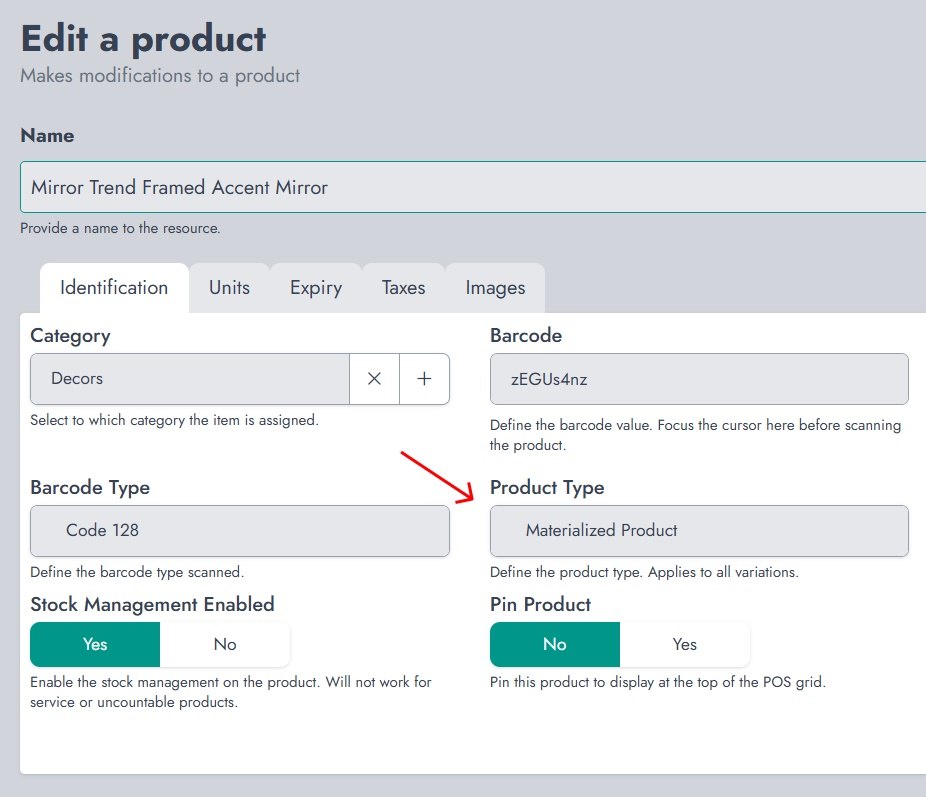
To use unit conversion, the product must be set as a Materialized Product and have stock management enabled. This allows NexoPOS to track quantities and apply conversions correctly.
Accessing Unit Conversion
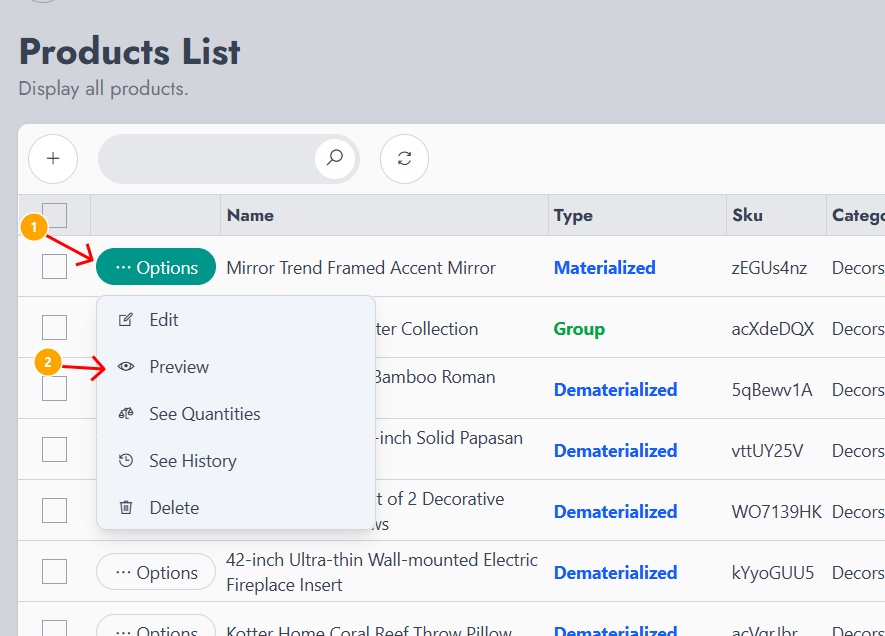
Go to the Products List, click on Options for a product, then select Preview. This will display detailed information about the product, including its units and quantities.
Viewing Available Units
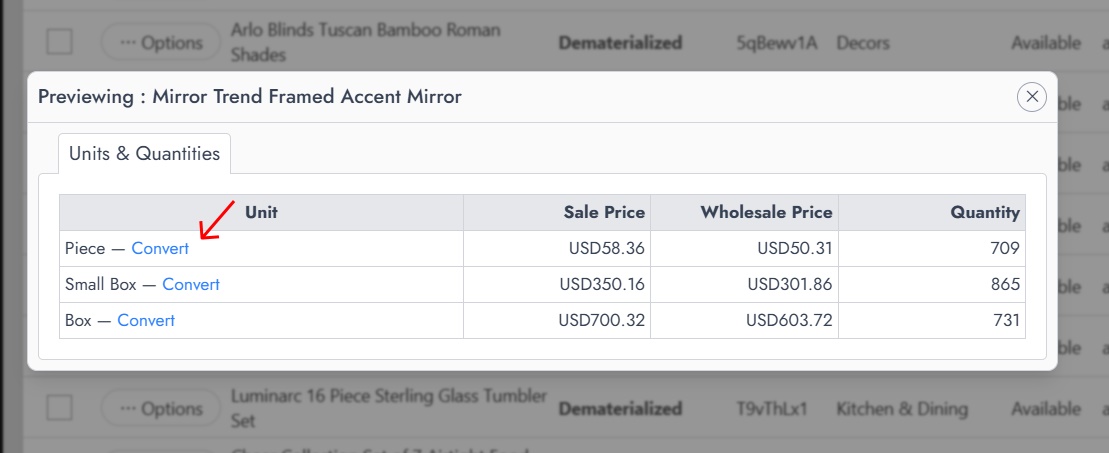
Inside the preview, you’ll see all units assigned to the product (e.g., Piece, Small Box, Box), along with:
- Sale price
- Wholesale price
- Available quantity
Each unit has a Convert option that allows you to initiate a conversion.
Performing a Conversion
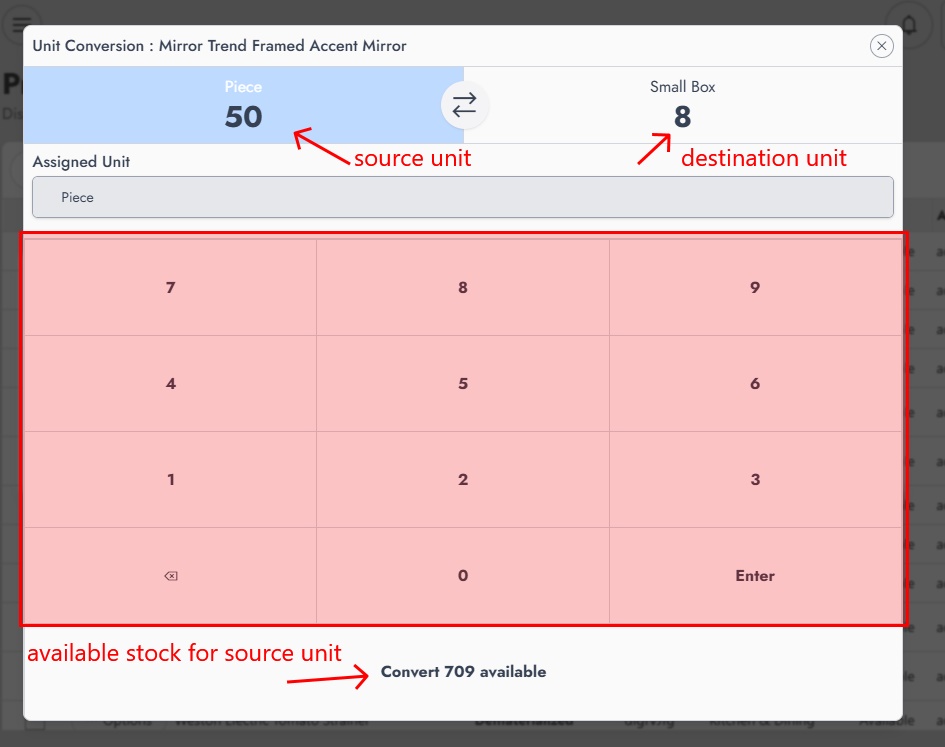
When clicking Convert, a conversion interface appears:
- The left side represents the source unit (the unit you are converting from)
- The right side represents the destination unit (the unit you are converting to)
You can enter the quantity using the numeric keypad. The system will automatically calculate the equivalent value based on the unit configuration.
At the bottom, you can see the available stock for the source unit, ensuring you don’t convert more than what you have.
Conversion Validation
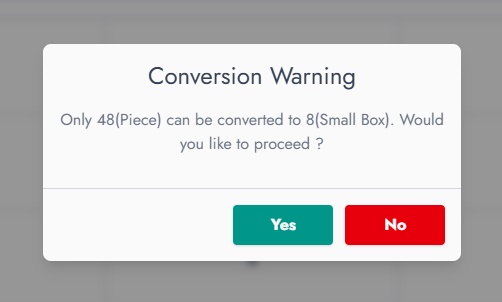
If the entered quantity doesn’t perfectly match the conversion ratio, a warning will appear. For example, if only 48 pieces can be converted into 8 packs, the system will notify you before proceeding.
You can then confirm or cancel the operation.
Practical Example
Imagine you receive a shipment of 10 packs of drinks, each containing 6 units. Instead of keeping them as packs, you can convert them into 60 individual pieces to sell them separately.
Later, if needed, you can convert the remaining pieces back into packs for bulk sales.
This flexibility allows you to adapt your stock to real business needs without losing accuracy.
Result
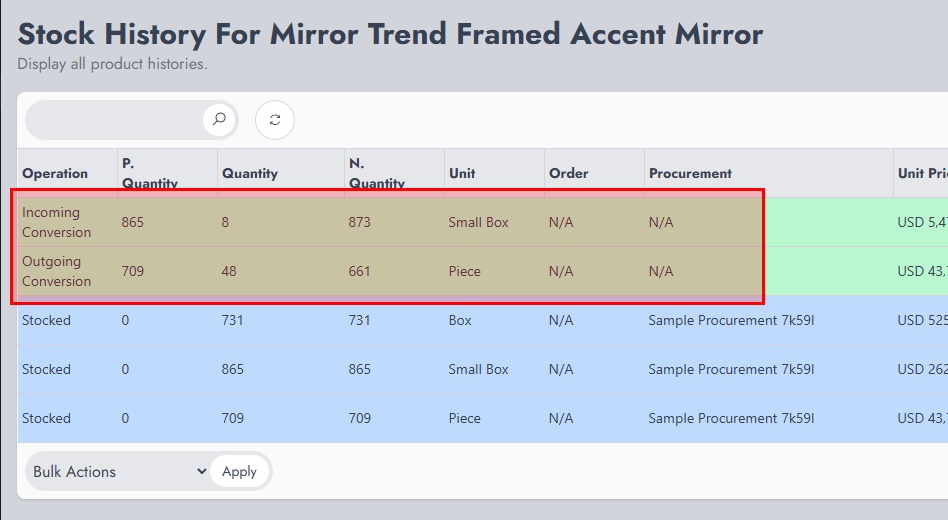
After conversion, the stock is automatically updated:
- The source unit is decreased
- The destination unit is increased
This keeps your inventory consistent across all units without manual adjustments.