
Envrironment Misconfiguration
NexoPOS is built on top of Laravel, which means your server must be configured so that the Document Root points to the public directory of your installation. Depending on your environment, some installation approaches are not recommended and may lead to issues.
Direct Access To The Public Folder
When using local server environments such as XAMPP, WAMP, or similar tools on macOS, you should avoid accessing NexoPOS through a URL that directly includes the public folder.
For example, accessing your installation via: http://localhost/mypos/public
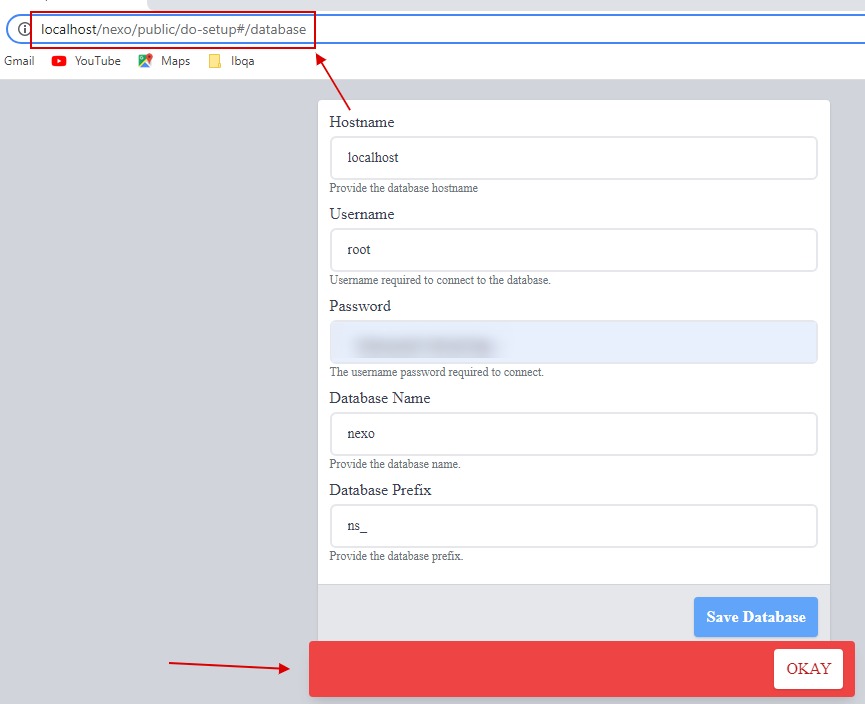
is not recommended and may cause unexpected behavior. This approach is not suitable for a proper NexoPOS setup.
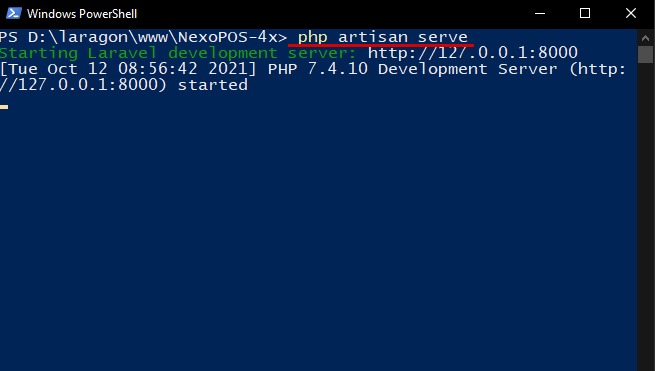
If your environment does not support virtual hosts (like Laragon does), you can instead use Laravel’s built-in development server by running the following command from the root directory of your NexoPOS installation: php artisan serve
Installing On A Sub Directory
NexoPOS is not designed to run from a subdirectory. For instance, using a URL such as:
http://yourmainwebsite.com/nexoposis discouraged. This setup can expose sensitive files such as artisan, .env, and other core components of the application.
Instead, it is strongly recommended to use a subdomain. Configure your server so that the Document Root points to the public folder, resulting in a URL like:
http://nexopos.yourmainwebsite.comThis approach ensures better security and compatibility with NexoPOS