
Creating Unit Group
A unit group is used to organize units that belong to the same type of measurement. This makes it easier to manage products that can be measured in different ways.
For example, a Liquid unit group can include liters, milliliters, etc., while a Size unit group can include centimeters, meters, and similar units.
Accessing Unit Groups
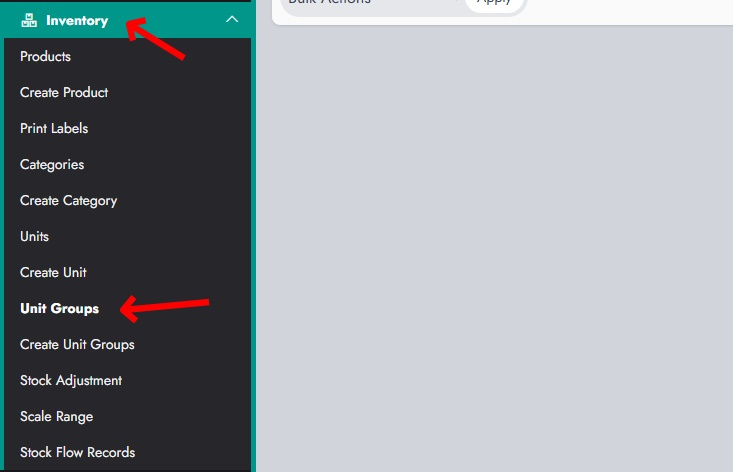
From the dashboard, navigate to Inventory → Unit Groups. This section allows you to manage all existing unit groups.
Creating a New Unit Group
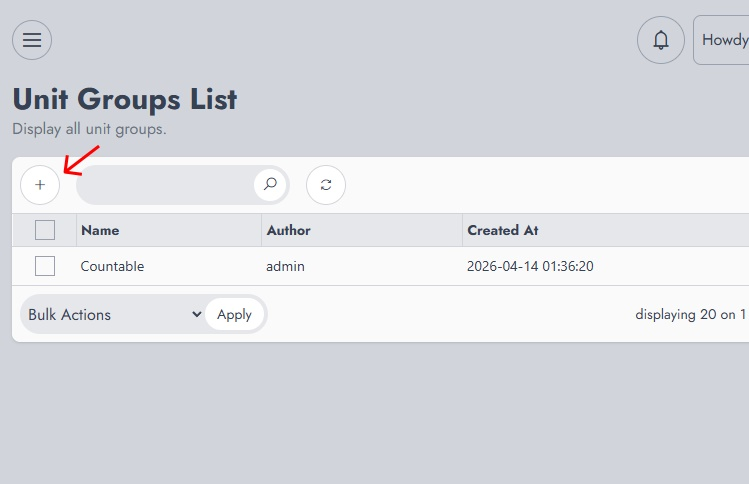
On the Unit Groups List page, click on the "+" (Add) button to create a new unit group.
Defining the Unit Group
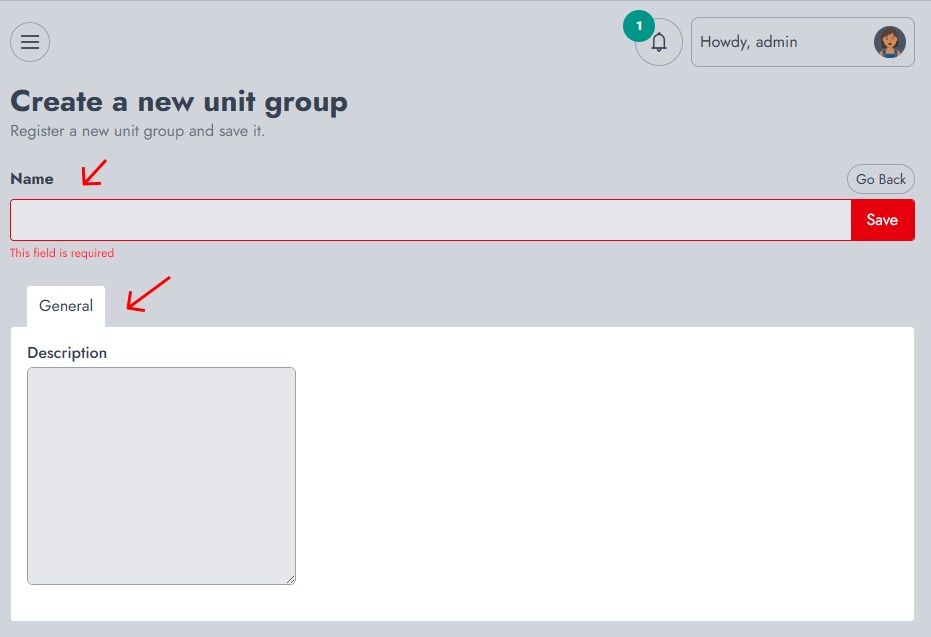
You will be redirected to the creation form, where you can define the unit group:
- Name This is the name of the unit group (e.g., Liquid, Size, Weight). This field is required.
- Description Provides additional details about the unit group. This is optional but can help clarify its purpose.
Once the information is filled, click Save to register the unit group.
After saving, the unit group will be available for use when creating units and assigning them to products