
Product Stock Flow
The Product History feature lets users review how the inventory of a product changes over time. It records the operations that affect stock and helps understand where quantities come from, how they were reduced, and what the resulting stock became after each movement. This is especially useful when reviewing procurements, conversions, and other inventory-related operations.
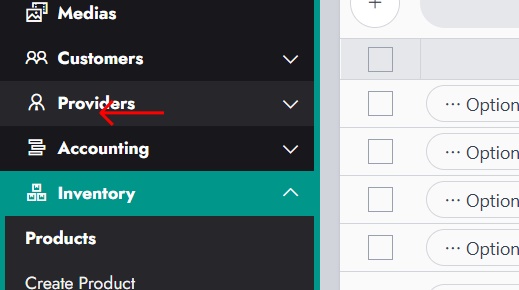
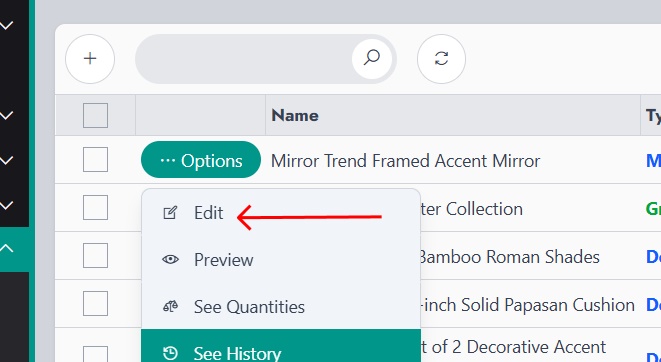
To access this feature, the user can open the Products list, click on the options menu of the desired product, and then select See History. This opens a dedicated page showing the full stock history of that product.
Each row in the history table represents a stock movement. The available columns provide the details needed to understand that movement precisely.
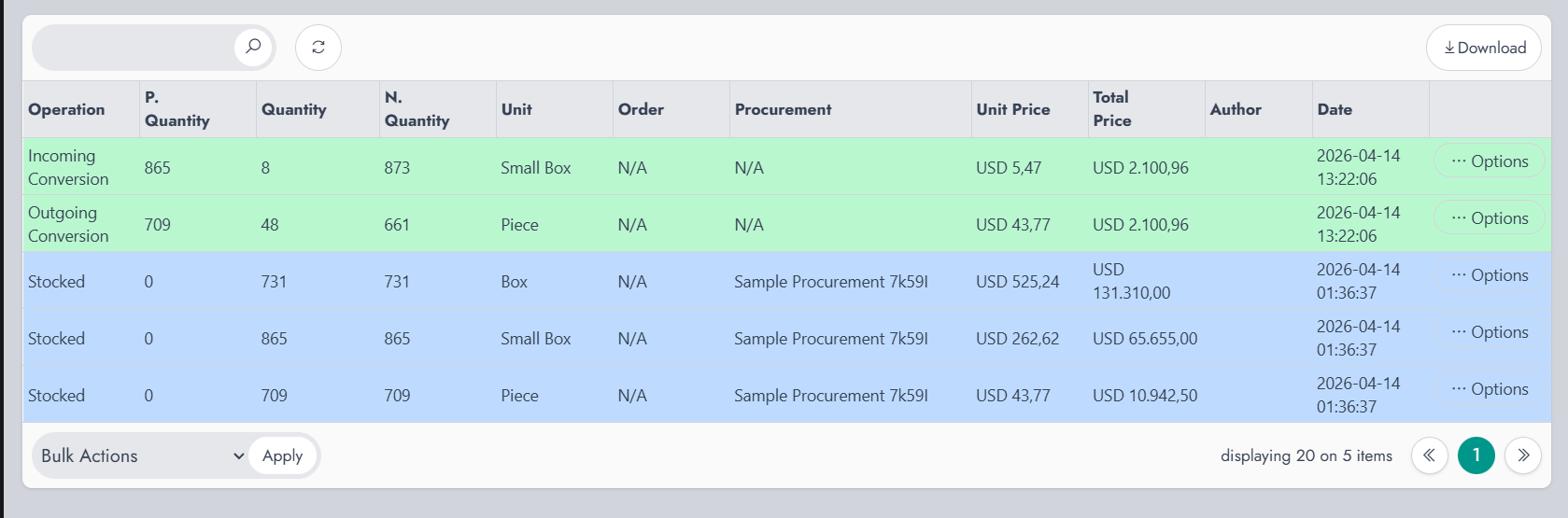
Operation indicates the type of stock action that was recorded. This helps identify whether the product was stocked, converted, or affected by another inventory action.
P. Quantity stands for Previous Quantity. It shows the quantity that was available before the operation was applied.
Quantity shows the amount involved in the operation itself. Depending on the context, this may be the quantity added, removed, or converted.
N. Quantity stands for New Quantity. It shows the quantity available after the operation was completed.
Unit indicates the unit used for that stock movement. This is particularly useful when the product supports multiple units, such as box, small box, or piece.
Order displays the related order reference when the stock movement is connected to an order. If the operation is not linked to an order, the value may appear as N/A.
Procurement shows the related procurement reference when the stock movement comes from a procurement. If there is no related procurement, the value may also appear as N/A.
Unit Price indicates the price of a single unit for that specific operation.
Total Price shows the total value of the stock movement based on the recorded quantity and unit price.
The Product History page helps provide a clear audit trail for inventory movements. By reviewing these entries, users can better understand how the stock evolved and identify the source of each change.