
Account & Bootstrap
There are two ways to get started with Nexo SaaS.
A. Database seed (typical Docker first boot)
docker compose -f deploy/docker-compose.yml exec app php artisan db:seed --force
Creates (among other things):
- Platform admin [email protected] / password with email already verified
- Test customer [email protected]
- Sample catalog (bundles, modules, add-ons)
- Default host + platform setting defaults
Suitable for local evaluation. Change passwords and emails before any shared environment.
B. Empty database registration (production-style)
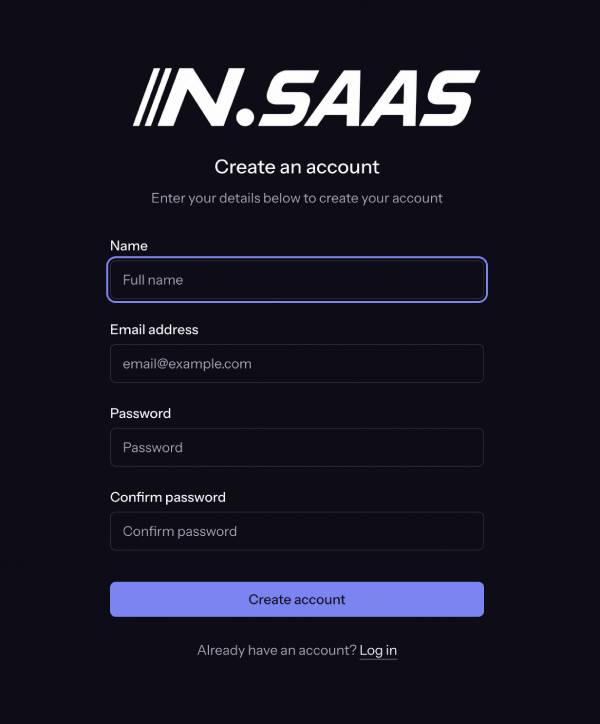
- Open /register.
- Create the first account.
- If no platform admin exists yet, that user is automatically promoted to platform admin and receives a personal organization.
- The app redirects to email verification (/verify-email).
Until the email is verified, the user cannot use the dashboard or admin area (auth + verified middleware).
Email verification without SMTP
SMTP is required for production mail (verification links, invoices, deploy notifications). On first install, you often configure SMTP after creating the admin account.
Artisan: verify a user by email
# Docker
docker compose -f deploy/docker-compose.yml exec app \
  php artisan platform:verify-user [email protected]

# Bare metal / VPS app directory
php artisan platform:verify-user [email protected]
Behaviour:
- Sets email_verified_at to now (idempotent if already verified).
- Writes an audit log (auth.email_verified, via artisan).
- Optional: --unverify clears verification (testing only).
Then sign in and continue to the dashboard.
Warning: Anyone with shell access to the app container can verify any email. Restrict SSH/deploy access like any production secret surface.
After SMTP is configured
Prefer normal verification emails (resend from the verify screen). Keep platform:verify-user as emergency bootstrap/support recovery.
Learn more about the SMTP configuration.
Platform admin privileges
| Capability | Platform admin | Org member |
|---|---|---|
| Admin → Settings, Catalog, Refunds, Users | Yes | No |
| Horizon (queue UI) | Yes (with 2FA policy) | No |
| Manage any installation | Yes (admin tools) | Own org only |
| Checkout / org billing | Via membership | Yes (role-dependent) |
Promote or demote
php artisan platform:promote-admin [email protected]
php artisan platform:promote-admin [email protected] --demote
- Cannot demote the last platform administrator.
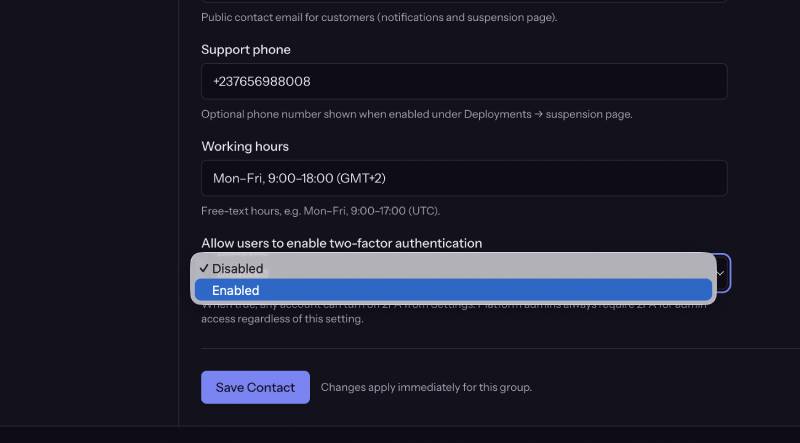
- Outside local, platform admins must enable 2FA before /dashboard/admin works.
2FA policy
| Audience | Policy |
|---|---|
| Platform admins (non-local) | Required for admin routes |
| Customers | Optional when Admin → Settings → General → Two-factor available is enabled |
Customer accounts & organizations
On registration (any user):
- User row is created.
- A personal organization is created with the user as owner.
- Seat / installation limits come from Admin → Settings → Deployments defaults (default_max_seats, default_max_installations).
Team organizations, invites, and roles are covered in 05 — Billing, orgs & refunds.
Recommended production bootstrap sequence
- Deploy stack
- Either seed then change admin credentials, or register the real operator email on an empty DB.
- platform:verify-user operator@… if mail is not ready.
- Enable 2FA for the admin.
- Configure SMTP under Admin → Settings
- Configure payments, domain, GitHub, S3
- php artisan platform:launch-check.
- Optionally platform:promote-admin additional operators; verify each email.