
Catalog
Build the product catalog: modules (versions/releases), add-ons (platform features), and bundles (plans customers buy).
Admin paths:
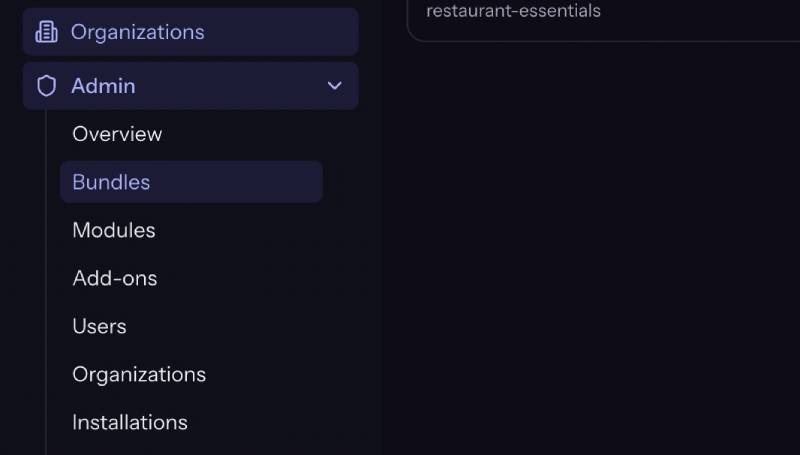
- Admin → Modules
- Admin → Add-ons
- Admin → Bundles
Modules (from module to release)
A module is a NexoPOS extension the platform can install on entitled installations. Each module has one or more versions (releases).
Create a module
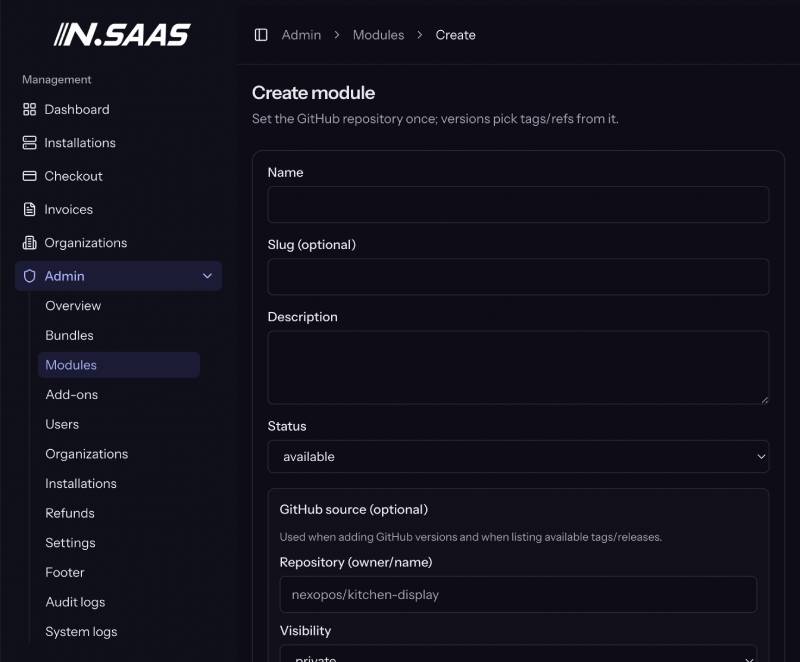
- Admin → Modules → Create.
- Set name, slug, description.
- Optional: default GitHub repo + visibility for versions.
- Status: available / unavailable; allow updates when unavailable controls whether existing installs can still update.
Publish a version (release)
Open the module → add version:
| Source | Fields |
|---|---|
| GitHub | Repo owner/name, ref/tag (e.g. v1.2.0), visibility; platform token used if private |
| ZIP | Upload package (size limit enforced server-side, e.g. 50MB) |
Mark the version published so it can be selected for installs/updates.
Workflow:
Create module
  → Add version (GitHub ref or ZIP)
  → Publish version
  → Attach module to one or more bundles
  → Customer installs/updates from entitled bundle
Screenshot placeholder: Module show page with versions list and Publish action
Tips
- Prefer semver tags as github_ref for reproducibility.
- Private module repos need a valid Admin → GitHub PAT.
- Core NexoPOS channel (latest/pinned) is separate under Settings → GitHub.
Add-ons
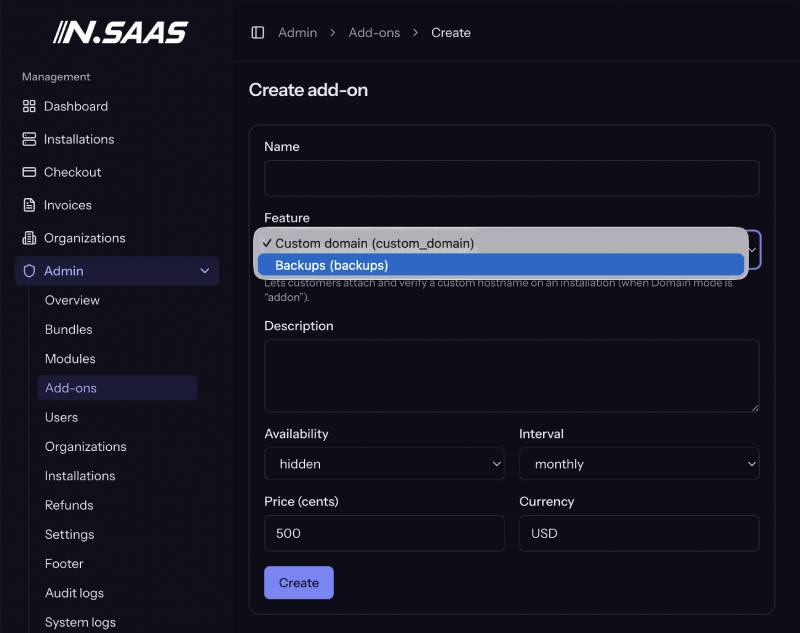
Add-ons are optional paid entitlements on an installation (not org-wide). Only two platform feature keys are wired today:
| Feature (UI) | feature_key | Unlocks |
|---|---|---|
| Custom domain | custom_domain | Domain tab attach/verify when Domain mode is addon |
| Backups | backups | Backup tab + scheduled platform backups |
Create an add-on
- Admin → Add-ons → Create.
- Feature — select from the dropdown (not free text). Choosing the wrong key means the UI never unlocks.
- Name, description, price (cents), currency, billing interval (monthly / yearly / one_time).
- Availability — e.g. published (purchasable), hidden, etc.
- Save.
Domain mode interaction
| Admin Domain custom_domain_mode | Customer experience |
|---|---|
| free | Custom domain without purchasing the add-on |
| addon | Must purchase Custom domain add-on (or already entitled) |
| disabled | Domain attach not offered |
Backups interaction
- Requires published Backups add-on + active entitlement on the install.
- Storage and schedule come from Settings → S3 / Backups, not from the add-on price alone.
Bundles (plans)
A bundle is what customers subscribe to per installation. It includes:
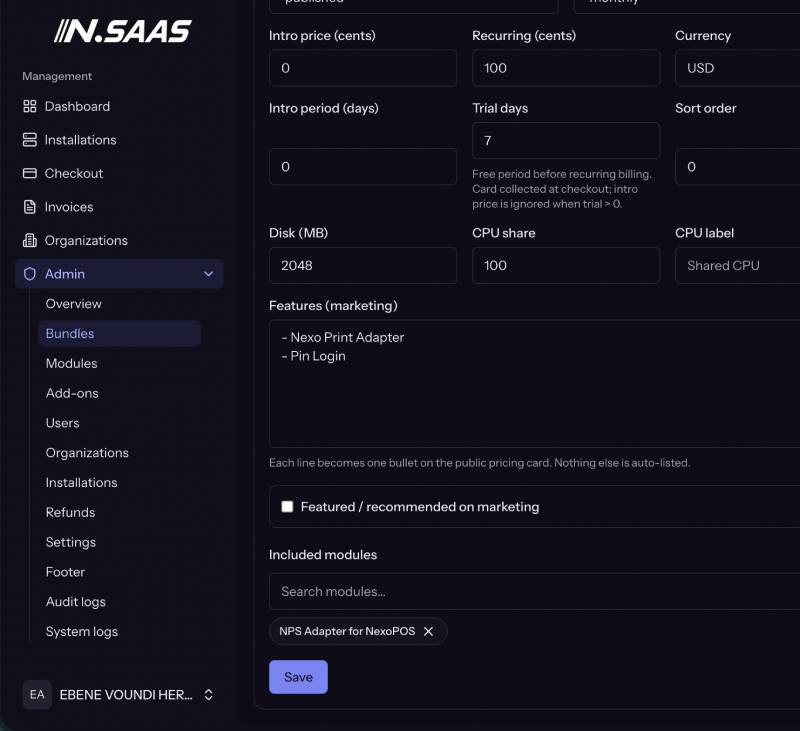
- Pricing (trial / intro / recurring)
- Resource limits (disk, CPU label/share)
- Included modules
- Marketing features / badges
- Availability (published, etc.)
Pricing fields explained
| Field | Meaning |
|---|---|
| Trial days (trial_days) | Free trial length on first checkout of a new install. No paid “full price” invoice is invented while trialing. Renewals never re-grant trial. |
| Intro / entry price (intro_price_cents) | Preferential first charge amount (in cents) when intro is configured. |
| Intro period days (intro_period_days) | How long the intro pricing window is intended to last (product metadata used with intro pricing). |
| Recurring price (recurring_price_cents) | Ongoing price after intro / for renewal line items. |
| Billing interval | e.g. monthly |
| Currency | ISO code, e.g. USD |
Checkout builds line items from these rules inside BillingService (gateway-agnostic).
How trial, intro, and recurring interact
Think of three levers:
- Trial only — customer starts without paying full recurring; subscription is trialing until trial ends, then normal collection / grace applies.Example (seed Professional): trial_days = 14, intro 0, recurring $49.
- Intro (entry) price without trial — first charge uses intro cents; recurring is the list price afterward / on renewal paths.Example (seed Starter): intro $1 (100 cents), recurring $19, trial 0.
- Neither — first charge uses recurring price immediately.
Important:
- Trial is per new installation checkout, not a forever free seat.
- Mid-lifecycle add-on purchases are separate line items / gateway items.
- Coupons (if configured) apply through checkout when valid.
Worked examples
Starter-style
| Value | |
|---|---|
| Intro | $1.00 for first period |
| Recurring | $19.00 / month |
| Trial | 0 days |
Customer pays the intro amount at first successful checkout (per gateway rules), then recurring thereafter.
Professional-style
| Value | |
|---|---|
| Trial | 14 days |
| Recurring | $49.00 / month |
| Intro | $0 |
Customer can start without a full paid invoice during trial; after trial, payment collection and grace/suspension rules apply.
Attach modules
On the bundle form, select which modules are included. Only entitled modules appear for install/update on customer installations.
Publish the bundle
Set availability to published and sort order / featured badge for the marketing Pricing page.
Suggested catalog setup order
- Configure GitHub settings.
- Create modules + publish at least one version each.
- Create add-ons (custom_domain, backups) if you sell them.
- Create bundles, attach modules, set trial/intro/recurring.
- Publish bundles and open Pricing as a customer.
- Configure Domain mode and S3 so add-ons actually work end-to-end.