
Crear unidad
Las unidades definen cómo se mide o se vende un producto. Siempre se asocian con un grupo de unidades, lo que permite que varias unidades relacionadas funcionen juntas (por ejemplo: litro y mililitro, o metro y centímetro).
Accediendo a la creación de unidades
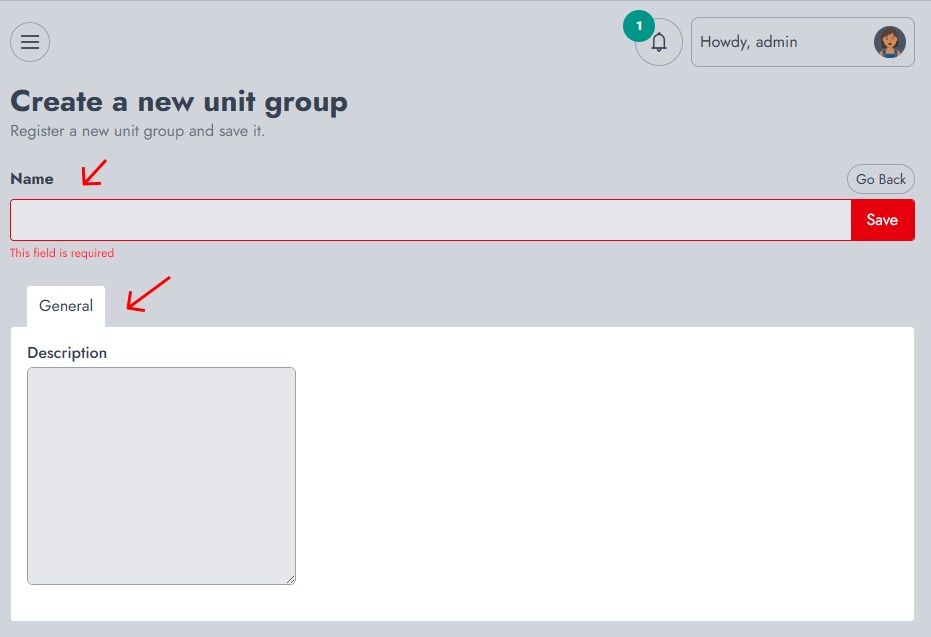
Desde el panel de control, navega a Inventario → Crear unidad. Esto abrirá el formulario de creación de la unidad.
Definiendo la unidad
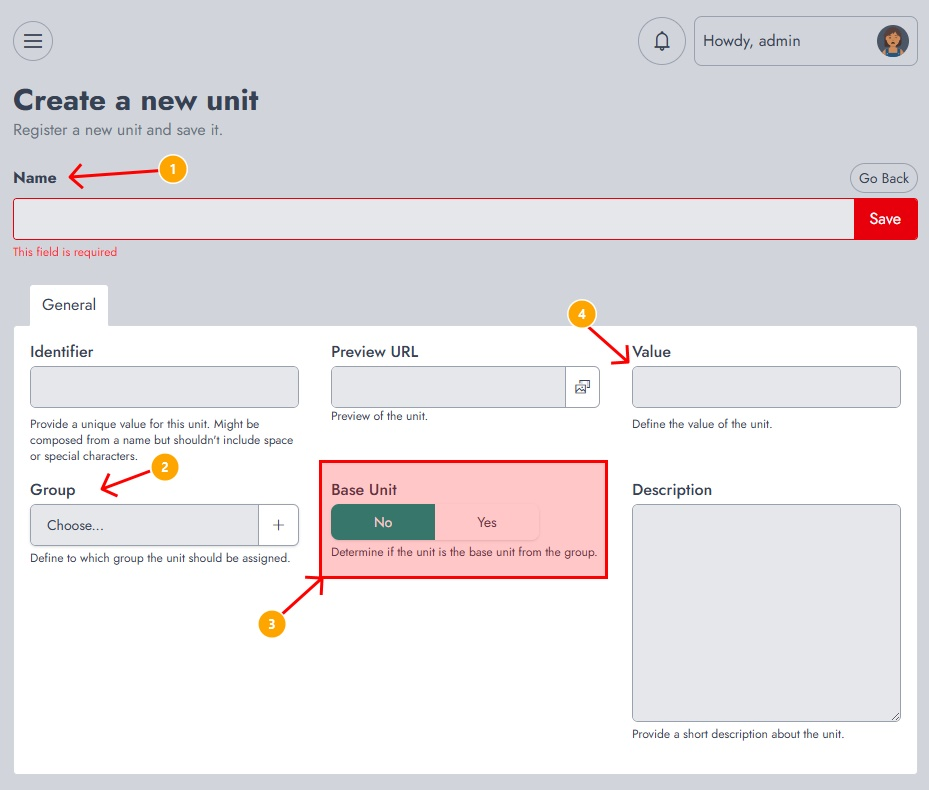
En esta página, necesitarás proporcionar la siguiente información:
- Name The name of the unit (e.g., Piece, Box, Liter). This field is required.
- Identifier A unique value used internally to identify the unit. It should not contain spaces or special characters.
- Group Defines the unit group this unit belongs to (e.g., Countable, Liquid, Size). This ensures the unit is linked to related measurements.
- Base Unit Determines whether this unit is the reference unit within the group. Each group should have one base unit (for example, Piece for countable items or Liter for liquids).
- Value Defines the conversion value relative to the base unit. For example, if the base unit is Piece, a Box of 12 items would have a value of 12.
- Preview URL Allows you to assign an image or visual representation of the unit.
- Description An optional field to describe the unit.
Una vez que se hayan completado todos los campos obligatorios, haga clic en Guardar.
Después de la Creación
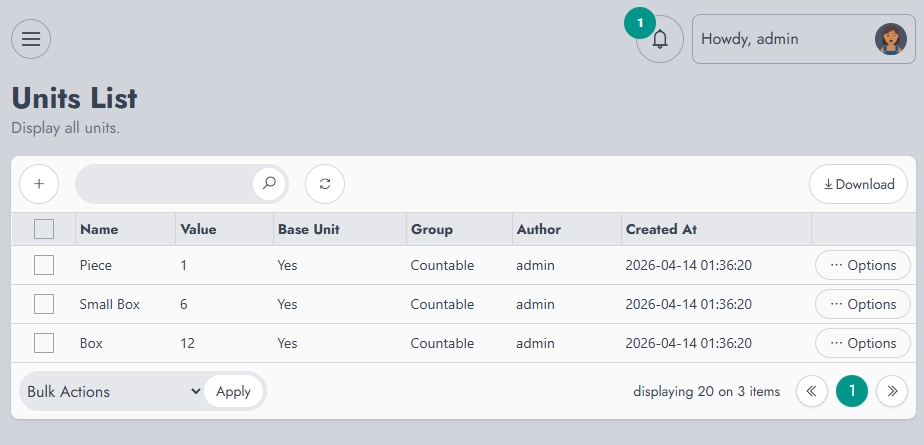
Después de guardar, se te redirigirá a la Lista de unidades, donde se muestran todas las unidades creadas junto con su grupo, valor y estado de unidad base.
Desde allí, puedes administrar, editar o revisar tus unidades.