
Crea unità
Le unità definiscono come un prodotto viene misurato o venduto. Sono sempre associate a un gruppo di unità, che consente a più unità correlate di funzionare insieme (ad esempio: litro e millilitro, oppure metro e centimetro).
Accesso alla creazione dell’unità
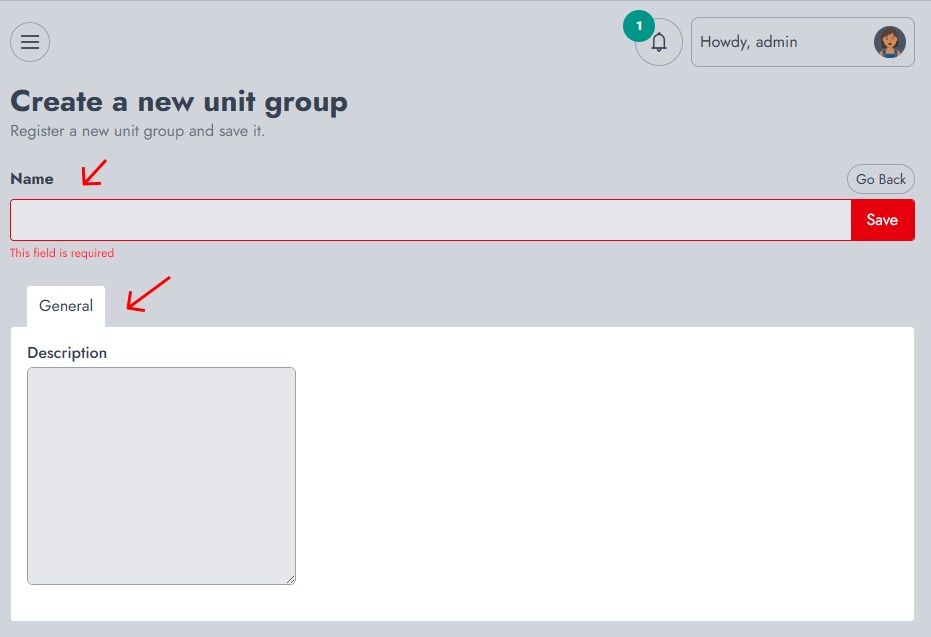
Dal dashboard, vai su Inventario → Crea unità. Questo aprirà il modulo di creazione dell’unità.
Definire l’unità
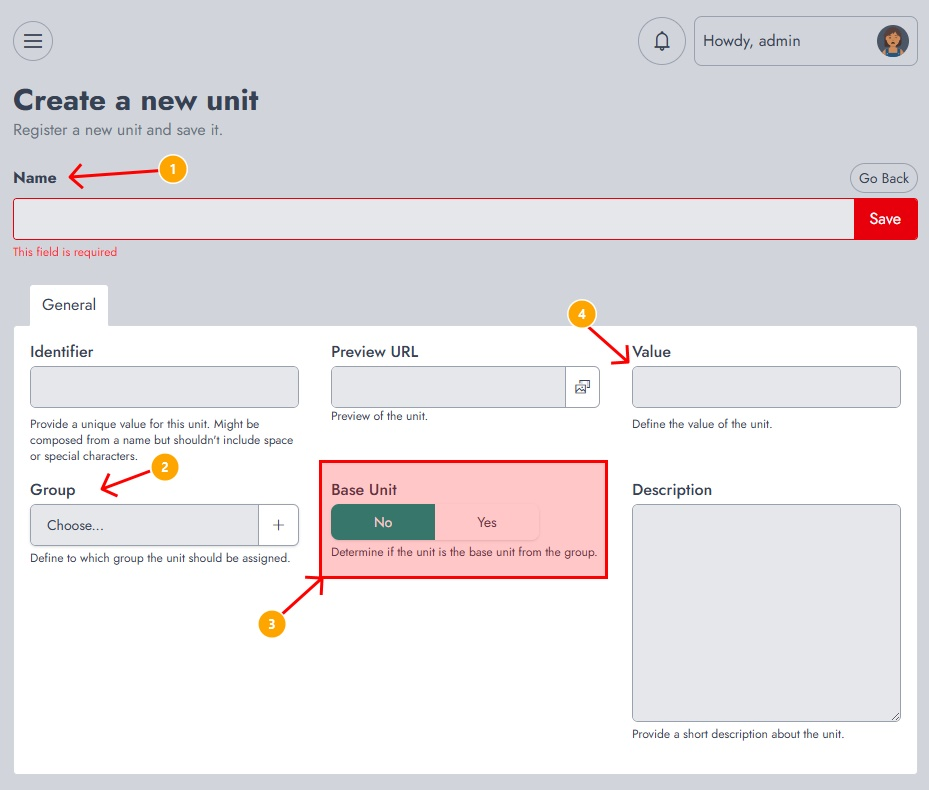
In questa pagina, dovrai fornire le seguenti informazioni:
- Name The name of the unit (e.g., Piece, Box, Liter). This field is required.
- Identifier A unique value used internally to identify the unit. It should not contain spaces or special characters.
- Group Defines the unit group this unit belongs to (e.g., Countable, Liquid, Size). This ensures the unit is linked to related measurements.
- Base Unit Determines whether this unit is the reference unit within the group. Each group should have one base unit (for example, Piece for countable items or Liter for liquids).
- Value Defines the conversion value relative to the base unit. For example, if the base unit is Piece, a Box of 12 items would have a value of 12.
- Preview URL Allows you to assign an image or visual representation of the unit.
- Description An optional field to describe the unit.
Una volta compilati tutti i campi richiesti, fai clic su Salva.
Dopo la creazione
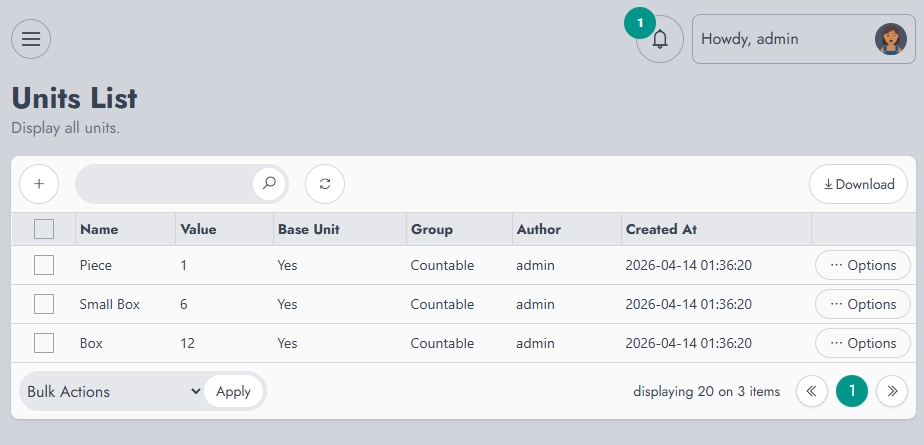
Dopo aver salvato, verrai reindirizzato all’elenco delle unità, dove tutte le unità create vengono visualizzate insieme al relativo gruppo, valore e stato dell’unità di base.
Da lì puoi gestire, modificare o rivedere le tue unità.