

A wrong stock count can quietly affect every part of a store: purchasing, sales, cashier confidence, customer service, and profitability. When the quantity shown in the system does not match what is physically available on the shelves, owners can make decisions based on inventory that is no longer true.
What Is A Stock Count?
A stock count is the process of checking the real quantity of products available in a store, warehouse, or stockroom, then comparing that quantity with the inventory recorded in the POS or inventory system. It is sometimes called a physical inventory count, cycle count, or stock control operation.
The goal is simple: confirm whether the system quantity matches what actually exists. If the physical quantity is lower or higher than expected, the difference should be investigated and corrected so the business keeps a reliable inventory record.
Why Accurate Stock Count Matters
Inventory affects cash flow directly. When stock is counted incorrectly, a store may buy products it already has, miss products that are about to run out, or promise customers items that are no longer available. Over time, those small differences can become expensive.
- Avoid stockouts by detecting products that are physically low before customers ask for them.
- Avoid overstocking by preventing purchases based on inflated or outdated quantities.
- Protect margins by identifying damaged, missing, returned, or incorrectly received items.
- Improve reporting because product movement, sales, procurement, and loss reports depend on correct quantities.
- Build cashier and customer trust because staff can rely on the POS inventory when answering availability questions.
When Should A Stock Count Be Made?
A full stock count can be done at the end of a month, quarter, or year, but stores do not always need to wait for a full inventory audit. Many businesses get better results by combining scheduled counts with smaller checks during normal operations.
- Before opening a new accounting period or closing the month.
- After receiving a large procurement or supplier delivery.
- After a busy sales period, promotion, seasonal event, or holiday rush.
- When the POS quantity looks suspicious or a cashier cannot find an item shown as available.
- When products are damaged, returned, transferred, or frequently misplaced.
- As part of a regular cycle count, where selected product categories are checked each day or each week.
The Challenge For Store Owners
Most stock count problems do not happen because store owners ignore inventory. They happen because inventory moves constantly. Products are purchased, sold, returned, damaged, corrected, transferred, or handled by different staff members during the same day.
Manual counting also takes time. A store owner may need to pause part of the activity, ask employees to check shelves, compare paper notes with the POS, then manually adjust differences. The more products a store has, the easier it becomes to miss an item, count the same item twice, or forget why the quantity changed.
How NexoPOS Helps Keep Stock Accurate
NexoPOS helps by tracking inventory movement from the moment stock enters the system until it leaves the store. Inventory is followed when it is purchased, sold, returned, or marked as damaged, giving owners a clearer view of why the quantity changed.
- Purchased inventory increases product stock when new items are received.
- Sold inventory reduces stock automatically through POS sales.
- Returned inventory can be added back when products are returned in a sellable condition.
- Damaged inventory is tracked separately so losses are visible instead of disappearing from the numbers.
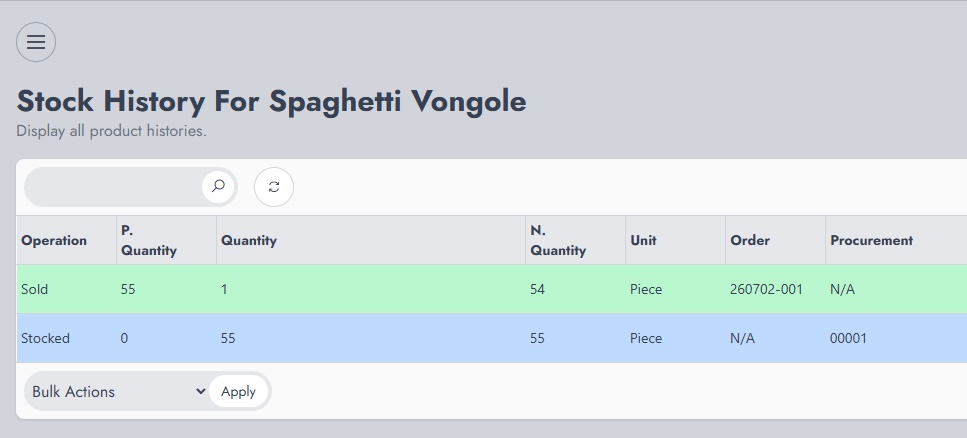
NexoPOS also provides a per-product report that shows how stock moved for a single product. This is useful when an owner wants to understand the history behind one product: when it was received, when it was sold, whether it was returned, and whether any quantity was damaged.
Image placeholder: screenshot from NexoPOS showing the per-product stock movement report for a single product.
For daily control, NexoPOS includes stock tracking that shows the initial stock at the beginning of the day, the purchased inventory, the sold inventory, the damaged inventory, and the final stock. This makes it easier to review the day and understand how the final quantity was reached.
Image placeholder: screenshot from NexoPOS showing daily stock tracking with initial, purchased, sold, damaged, and final stock columns.
Using Barcode Utility For Faster Stock Control
Barcode Utility for NexoPOS is a companion app for store owners who want to perform stock control with a phone. Instead of writing quantities on paper, the owner or staff member can scan product barcodes directly in the store.
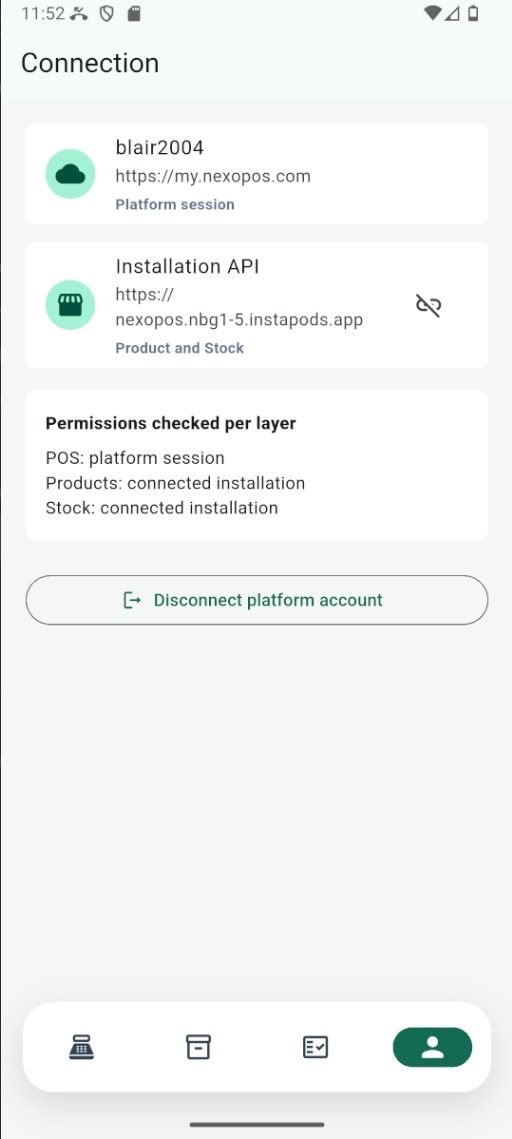
The process is simple. The app is used to scan product barcodes while checking shelves or storage areas. A list of products is populated gradually as items are scanned. Each scan is considered as one count, so scanning the same product again increases the counted quantity by 1.
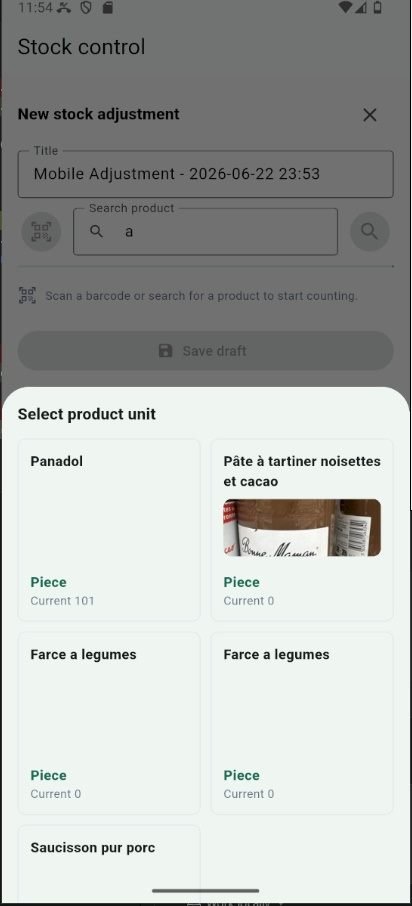
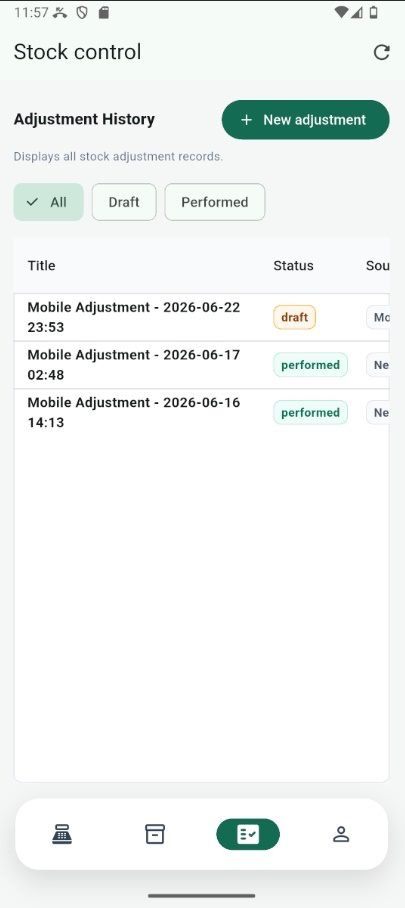
For each entry, Barcode Utility can show the actual inventory known by the app and the total counted quantity. That comparison helps reveal the difference immediately, so the owner can see which products match and which products need attention before applying corrections.
A Better Way To Avoid Wrong Counts
The best stock count process combines accurate inventory tracking with a practical counting workflow. NexoPOS records the movements that explain why stock changes, while Barcode Utility helps the team collect counts faster from the store floor.
- Count products directly from shelves using barcode scans.
- Reduce manual entry errors caused by handwritten notes or repeated typing.
- Compare counted quantity with expected inventory during the control process.
- Use NexoPOS reports to investigate where differences may have come from.
- Make stock control a regular habit instead of waiting until inventory becomes unreliable.
Summary
Wrong stock counts can lead to lost sales, excess purchases, and reports that no longer reflect reality. By counting inventory regularly, reviewing product movement, and using tools such as NexoPOS and Barcode Utility, store owners can keep stock records closer to what is physically available and make better decisions every day.