
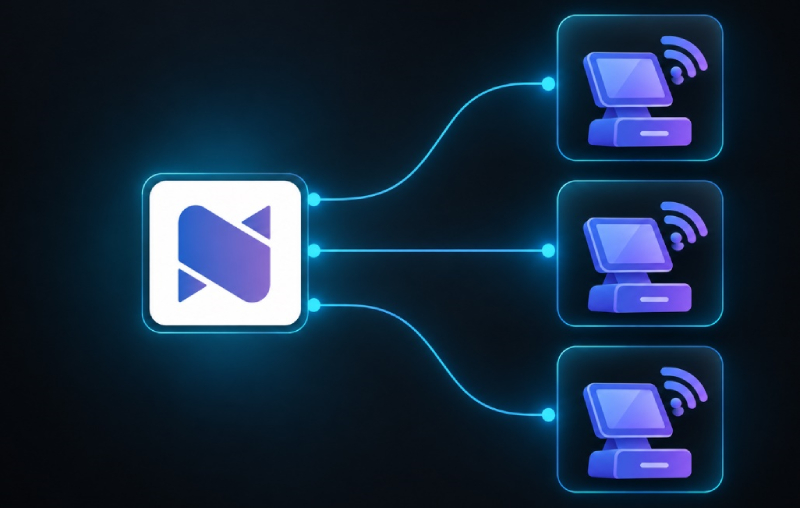
Every busy counter needs a setup that is dependable and easy to understand. When a computer on the shop network needs to reach NexoPOS, the connection should feel like part of the normal setup—not a networking project.
That is the purpose of NexoPOS Client for Windows: a lightweight Windows companion app that securely connects computers on the same local network to an existing NexoPOS installation. It removes the need to manually configure IP addresses, certificates, or hosts-file entries before a team member can start working.
Local access without the manual network setup
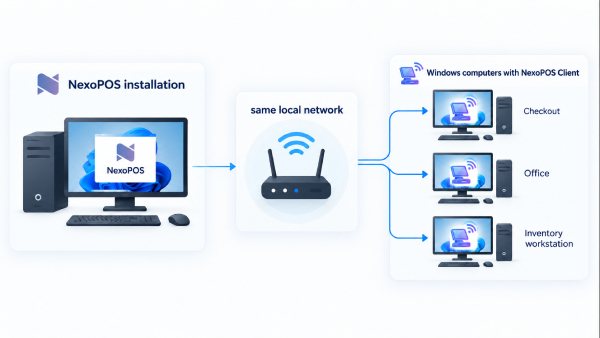
Many NexoPOS installations serve more than one computer. A main computer may host the application while another is used at a sales counter, in an office, or for stock management. Traditionally, making those devices communicate can involve details that are easy to get wrong: finding the right local IP address, handling browser certificate warnings, or editing system files.
NexoPOS Client for Windows is designed to take that friction out of the everyday experience. Once it is installed on a Windows computer connected to the same local network as NexoPOS, it provides a simpler, more guided path to the NexoPOS installation.
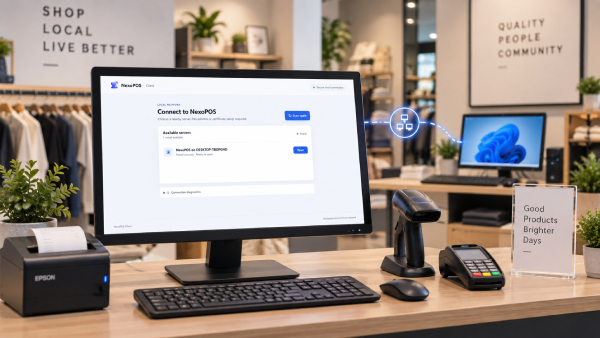
Why this matters for a growing store
The time spent solving a local connection problem is rarely planned time. It can delay a new checkout position, interrupt a shift, or make a straightforward hardware change feel more complicated than it should be.
With NexoPOS Client for Windows, teams can spend less time dealing with technical connection details and more time on the work that matters at the store:
- Set up an additional Windows workstation with less friction. Bring another computer into the local NexoPOS environment without asking staff to manually enter network values.
- Keep staff focused on the POS. A guided connection experience reduces the chances of a typo or a configuration change preventing access during a busy day.
- Avoid unnecessary system-file changes. There is no need to rely on hosts-file configuration as part of the normal setup.
- Use a secure local connection. The app is built to connect local Windows computers securely to the NexoPOS installation on the same network.
- Make support and handover easier. A repeatable setup is easier for store owners, IT partners, and new team members to understand.
A practical fit for multi-computer operations
NexoPOS Client for Windows is especially useful when NexoPOS is installed on one computer and the business uses additional Windows machines around the same location. That can include a second till, a back-office workstation, a stockroom computer, or a manager's desk.
The app does not replace NexoPOS. It works alongside an existing NexoPOS installation and makes it easier for the Windows computers on the same local network to reach it. Your NexoPOS installation remains the place where your products, orders, customers, inventory, and reporting live.
Built for the real world behind the counter
Retail and service businesses add devices as their needs change. A second checkout may be added for weekends. A manager may need a dedicated office computer. A stock team may need access away from the front counter. These are normal operational changes, and the software setup should support them without turning each new computer into a technical task.
NexoPOS Client for Windows gives Windows-based NexoPOS users a more straightforward way to extend local access. The result is a setup that is easier to repeat, easier to explain, and better suited to the pace of day-to-day operations.
Get ready to connect
NexoPOS Client for Windows is made for Windows computers that are on the same local network as a working NexoPOS installation. Before getting started, make sure the host NexoPOS installation is available and that the computer you want to connect is on the same local network.
Visit the NexoPOS Client for Windows product page for availability and product details.
One less technical step between your team and NexoPOS
The best store technology gets out of the way. NexoPOS Client for Windows is a small addition with a practical goal: help local Windows computers connect to NexoPOS securely and with less manual configuration. For stores that are expanding beyond a single computer, that means a smoother path from setup to service.