
QR Menu – Digital Restaurant Menu for Gastro
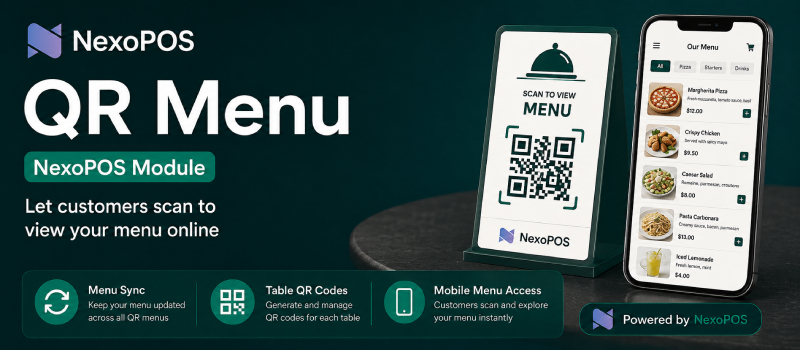
{"time":1786102885780,"blocks":[{"id":"npW78GMQYf","type":"paragraph","data":{"text":"NsQrMenu is a digital menu builder for NexoPOS. It allows restaurants, caf\u00e9s, bars, hotels, bakeries, and other businesses to present their products through a modern, mobile-friendly menu that customers can access by scanning a QR code."}},{"id":"KP335BhkTd","type":"paragraph","data":{"text":"Products, categories, descriptions, images, units, and prices can be selected directly from your existing NexoPOS catalog. This makes it easier to keep your digital menu aligned with the information already managed in your store."}},{"id":"gghcqRZwEk","type":"header","data":{"text":"Create a Menu That Matches Your Brand","level":3}},{"id":"OOVacUZ-T0","type":"paragraph","data":{"text":"NsQrMenu includes a visual menu builder with several layout options, customizable colors, fonts, typography, spacing, backgrounds, and decorative images. Menus can contain multiple pages, allowing you to organize content such as breakfast, lunch, dinner, drinks, desserts, or special offers."}},{"id":"MJ8v_Tcdrq","type":"paragraph","data":{"text":"You can choose which products appear, arrange them in the preferred order, select the appropriate product unit and price, and control the visibility of individual menu items. A responsive preview helps you see how the menu will look on desktop computers, tablets, and mobile phones before it is published."}},{"id":"bFWVVTNIZX","type":"header","data":{"text":"Why NsQrMenu Is Useful","level":3}},{"id":"qcET0Ad2xJ","type":"list","data":{"style":"unordered","meta":[],"items":[{"content":"Provides customers with a convenient, contactless way to view your menu.","meta":[],"items":[]},{"content":"Uses products and categories already available in NexoPOS.","meta":[],"items":[]},{"content":"Reduces the cost and inconvenience of reprinting physical menus.","meta":[],"items":[]},{"content":"Makes menu updates and seasonal changes easier to manage.","meta":[],"items":[]},{"content":"Supports multiple pages and several presentation styles.","meta":[],"items":[]},{"content":"Displays product names, descriptions, images, units, and prices clearly.","meta":[],"items":[]},{"content":"Allows menus to be saved as drafts, previewed, and activated when ready.","meta":[],"items":[]},{"content":"Creates a consistent branded experience across phones, tablets, and computers.","meta":[],"items":[]}]}},{"id":"1ZP9-9Emac","type":"header","data":{"text":"A Better Experience for Your Customers","level":3}},{"id":"1JfxwF6cXI","type":"paragraph","data":{"text":"With NsQrMenu, customers can explore your offerings from their own devices without downloading an application. The result is a clear, attractive, and accessible menu that helps guests discover products and make decisions more comfortably."}},{"id":"0Fkijd30Kb","type":"paragraph","data":{"text":"Whether you operate a single caf\u00e9 or manage a larger hospitality business, NsQrMenu gives you a practical way to modernize how your products are presented while continuing to use the familiar NexoPOS environment."}}],"version":"2.31.0-rc.7"}