

Gastro - Restaurant Extension For NexoPOS

Configuring Nexo Print Server
You can configure Nexo Print Server for printing orders in the kitchen. For that, you'll need to install the Nexo Print Adapter for NexoPOS.
Once you have enabled that module, make sure to configure it by defining the server address and other settings on the NPS Adapter tab from Gastro settings.
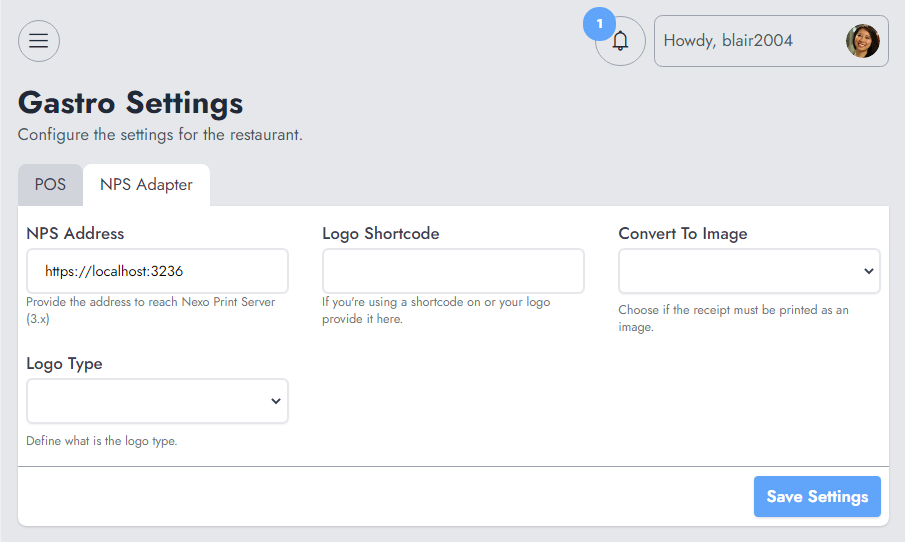
Once you've done this, don't forget to save your settings. Now let's head to the kitchen, where we'll select the printer that should be used for that.
From now on, all orders sent to the kitchen will be printed on the selected printer
Version
v6.2.1
Last Update
23 Sep 2026
Downloads
More than 10
Active installs
Less than 10