Gastro - Restaurant Extension For NexoPOS

Gastro is an extension that brings restaurant management capabilities to NexoPOS. It is designed to support both small restaurants that require a fast and simple workflow, and larger establishments that need better tracking of orders and customer service.
By extending the POS experience, Gastro introduces a complete service lifecycle where orders are created, managed, prepared, and completed in coordination between staff.
Features
Gastro is basically a restaurant layer on top of NexoPOS, adding everything needed for:
- Table Management
- kitchen workflow
- waiter/chef roles
- order lifecycle in a restaurant
Table Management
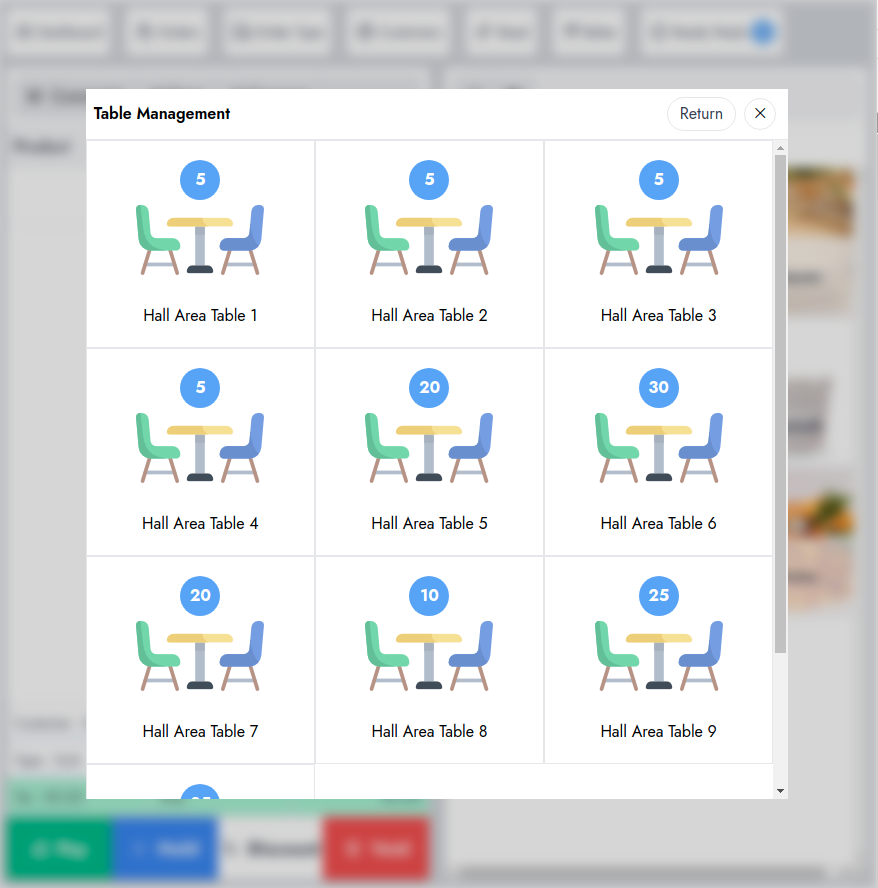
Gastro allows you to create areas as tables. This gives you an overview of how your tables and the orders that are placed on them.
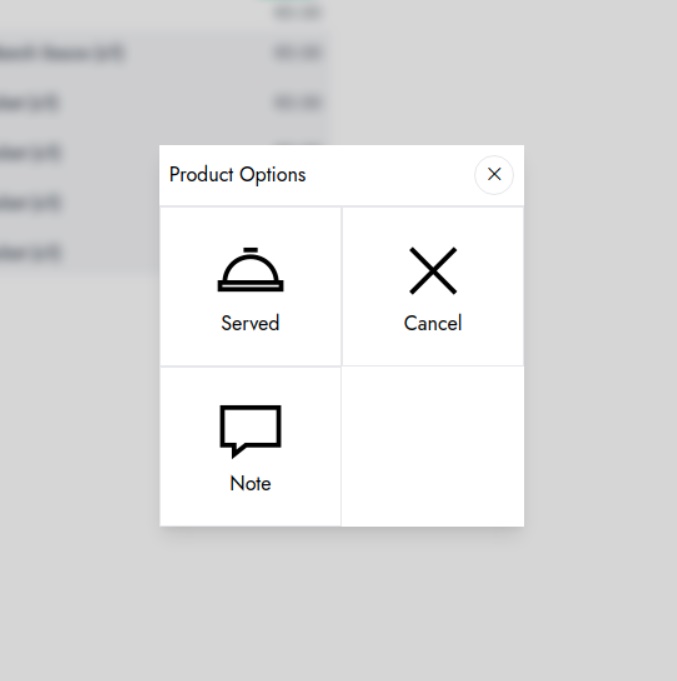
Orders placed on the table are likely to be customized by the waiter. This one can :
- Cancel a meal
- Add new note to a meal
Furthermore, features are included:
- Create and manage tables and areas
- Place orders directly on tables
- Move/merge/split orders between tables
- Handle customer table changes easily
- Visual overview of tables and active orders
Kitchen Workflow
A dedicated interface for the kitchen where chefs can view incoming orders and update their status.
Core Features
- Dedicated kitchen screen
- Orders are sent instantly to kitchen
- Multiple kitchens support
- Assign categories to specific kitchens
Dedicated Kitchen Screen
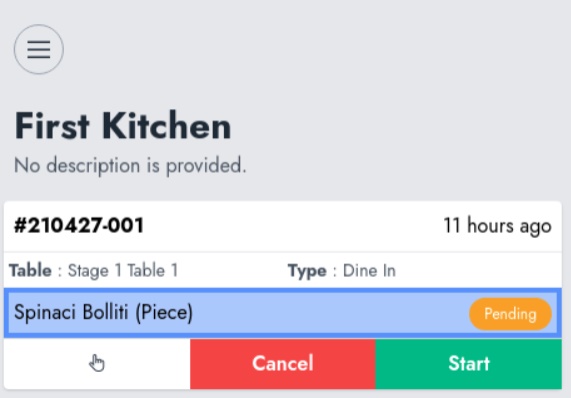
The Gastro kitchen screen lets chefs view incoming orders in real time with item details, notes, and modifiers, then manage each item by marking it as in preparation, ready, or rejected. Orders are organized by priority or time, with notifications for new requests, and can be filtered per kitchen (e.g. bar or main kitchen). All updates sync instantly with waiters, ensuring smooth coordination between kitchen and service.
Category Assignation
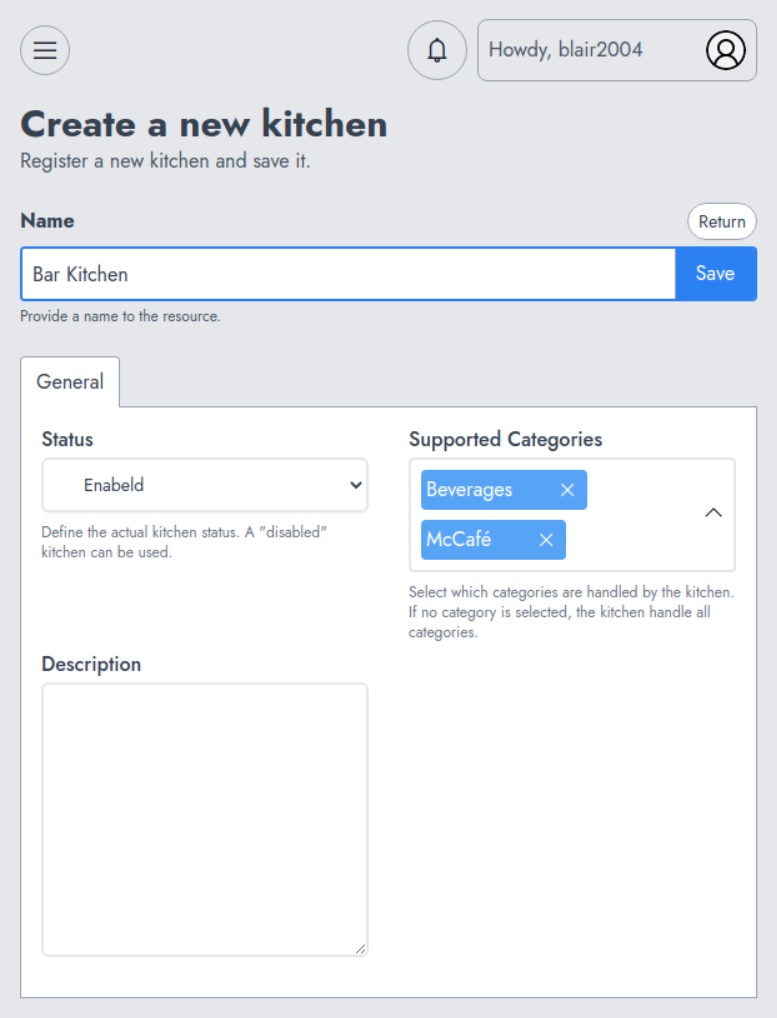
Category assignation means linking product categories to specific kitchens so orders are automatically routed to the right place.
For example, if you assign:
- Drinks → Bar kitchen
- Grill → Main kitchen
- Desserts → Dessert station
👉 When a waiter places an order, each item is sent only to the kitchen responsible for its category, instead of sending the full order everywhere.
Modifiers And Modifiers Group
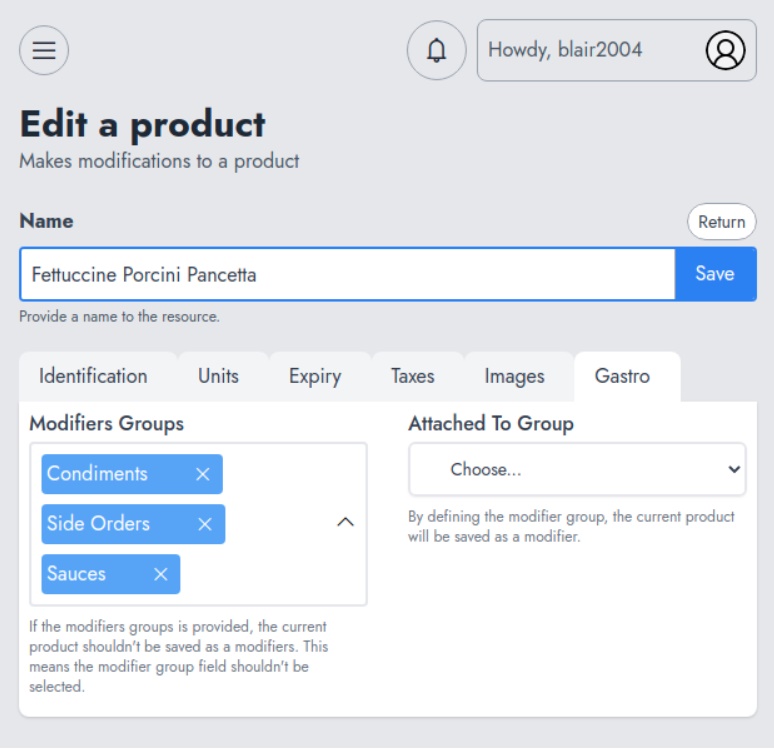
Modifiers are customizations that are allowed for specific meals. These modifiers are grouped for better organization. Modifiers can support quantity and act as a product. It's then possible to assign an inventory to the modifiers. The modifier groups will give you a way to :
- For modifiers selection
- Determine if the modifiers need quantities
- Determine if the choice of a modifier can be single or multiple
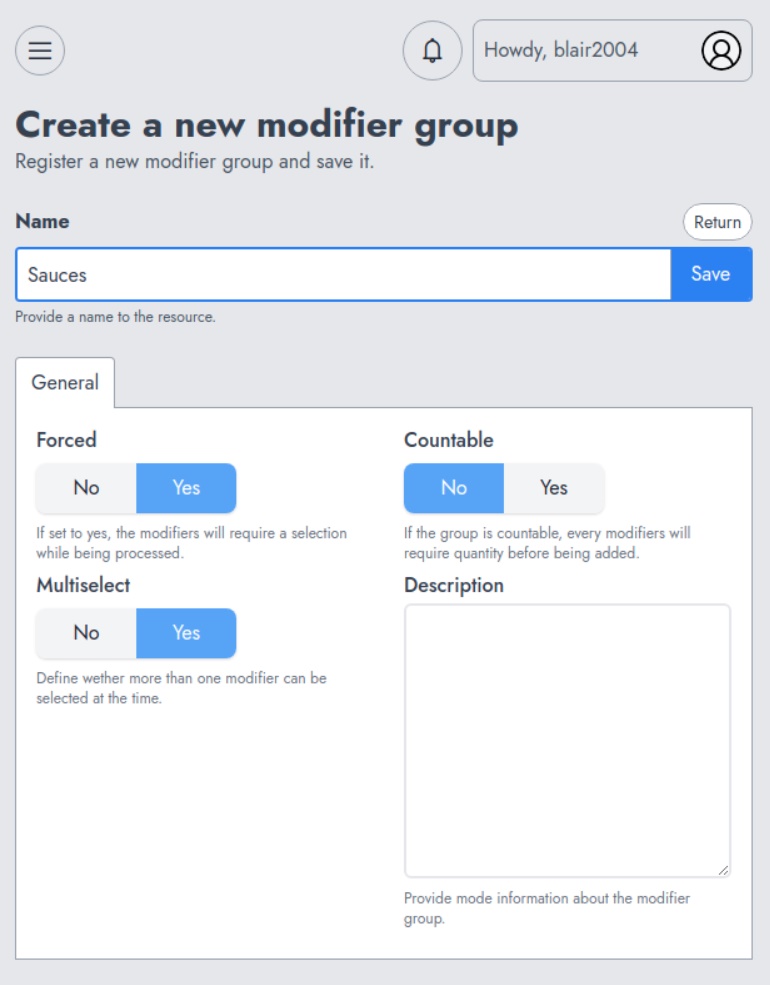
A modifier group should then be assigned to the product that supports modifiers. All this can be performed on the Gastro tab.