

Bulk Editor For NexoPOS
The Bulk Editor is a module designed to simplify batch updates of resources on NexoPOS. Compatible with NexoPOS 6.0.x, you'll mainly use it to change product categories, status, barcode type, and more.
Using Bulk Editor
Once the module is installed on NexoPOS, you can head to the "products" list. From there, you'll choose the product you want to edit.
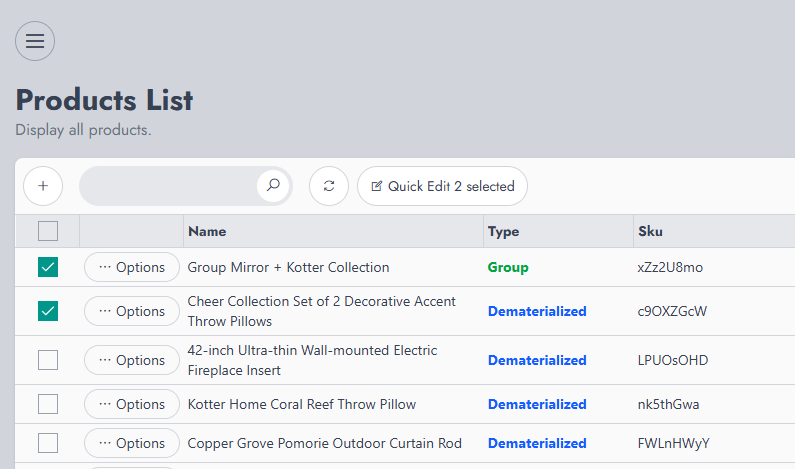
By clicking on "Quick Edit X selected" (where X is the number of selected items), you'll launch the Bulk Editor pop-up.
This pop-up displays a list of the items that have been selected. At any time, you can adjust the items you want to edit by removing those you don't want to include. Once you're set with your change, click on "Update".
Version
v6.0.0
Last Update
21 Apr 2026
Downloads
Less than 10