

BellSera — Spa & Salon Booking Management for NexoPOS
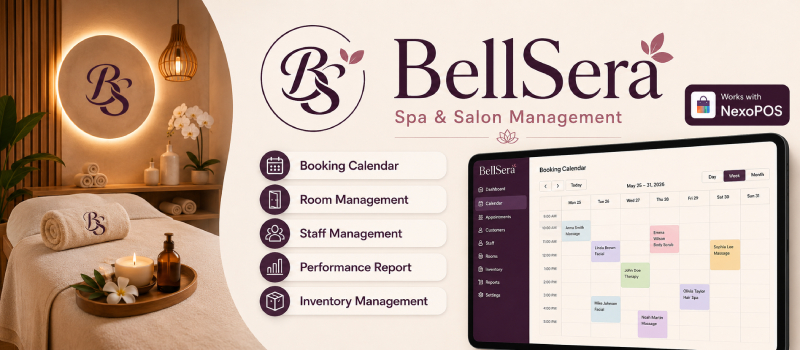
BellSera adds service appointment scheduling and day-to-day service operations to NexoPOS. It connects the product catalog, customers, orders, staff, rooms, payments, and POS so a service business can handle scheduled bookings and walk-in customers from one system.
The module includes:
- A public self-service booking page.
- Booking and Walk-in POS order types.
- A dashboard appointment calendar and appointment list.
- Staff and room availability management.
- Multi-service execution queues with persistent timers.
- Attendance, payment, staff-switching, rating, and reporting tools.
- Optional confirmation, reminder, and survey SMS messages through NsSMS.
Module information
| Item | Value |
|---|---|
| Display name | BellSera |
| Namespace | NsAppointments |
| Version | 6.2.0 |
| Author | NexoPOS |
| Supported NexoPOS core | 6.2.2 through 6.2.99 |
| Optional integration | NsSMS 6.2.1 or newer |
| Public booking path | /appointments |
Feature overview
Public online booking
The public booking page lets a customer:
- Browse available service categories and services.
- Review each service's image, description, duration, price, and payment requirement.
- Add one or more services to a booking cart.
- Choose any available staff member or request a specific eligible staff member.
- Choose an available room when room assignment is enabled.
- Select a date and search for a valid appointment slot.
- Enter their name, email address, phone number, and notes.
- Submit the appointment request and receive a unique booking reference.
Available slots respect:
- Configured business days and opening hours.
- The slot interval.
- Minimum booking notice.
- The maximum advance booking window.
- Service duration and before/after buffers.
- Staff roles assigned to each service category.
- Existing appointments that block the selected staff, room, or resource.
- The current operational status of staff and rooms.
Public checkout creates or reuses a NexoPOS customer, creates a linked NexoPOS order, and stores the appointment and its individual service lines.
Payment note: the public page calculates whether no payment, a partial deposit, or full payment is required. It records that amount as due and displays the configured manual payment instructions. It does not directly process an online payment.
The public availability and checkout endpoints are rate-limited to reduce abuse.
Service catalog configuration
BellSera extends the NexoPOS catalog rather than maintaining a separate product database.
In BellSera Settings → Catalog, administrators can define:
- Service Categories — products in these categories can become bookable services.
- Sellable Product Categories — regular retail products or optional appointment add-ons.
- Room Assignment — whether a room must be selected for appointment services at the POS.
A category cannot be both a service category and a sellable category.
Each product has an Appointments configuration tab with:
- Bookable service enabled/disabled.
- Service duration in minutes.
- Buffer time before the service.
- Buffer time after the service.
- Payment requirement: none, partial deposit, or full payment.
- Deposit type: fixed amount or percentage.
- Deposit value.
A service must have a configured sale unit before it can be scheduled.
Staff enrollment and service eligibility
Appointment staff are based on normal NexoPOS users and roles.
Administrators configure:
- The NexoPOS roles whose active users can become appointment staff.
- The roles allowed to perform services in each service category.
- Each worker's display name.
- Whether the worker is enabled for appointments.
- The worker's current availability: available, unavailable, or busy.
Worker profiles are created automatically from the configured roles. They cannot be manually created or deleted from the appointment staff screen; disable a worker profile instead.
Only active, available workers with an eligible role for a service category are offered for new bookings. Starting a service marks its worker as busy, and completing or stopping the worker's last active service makes the worker available again.
Room management
Rooms can be created and managed from BellSera → Rooms.
Each room supports:
- Name.
- Thumbnail.
- Description.
- Extra price.
- Availability status: available, unavailable, or busy.
Only available rooms can be assigned. A room can be free or add a charge to the service.
At the POS, a room charge is applied once per service line:
line total = (service unit price × quantity − discount) + room charge
The room charge is not multiplied by the service quantity. Rooms can also be manually returned to the available state with Set Room Free.
POS bookings and walk-ins
The module registers two NexoPOS order types:
| Order type | Behavior |
|---|---|
| Booking | A scheduled appointment. Staff select a date/time, service staff, optional rooms, and notes. |
| Walk-in | An immediate appointment. The start time defaults to the current time. |
When either order type is enabled in the NexoPOS POS order-type settings, BellSera adds the appointment workflow to the POS:
- Prompts the cashier to choose Booking or Walk-in after a cart reset.
- Recognizes products configured as appointment services.
- Selects an available room when room assignment is enabled.
- Selects eligible staff who are free at the service time.
- Displays assigned staff and room information under each service cart line.
- Allows staff and room assignments to be changed from the cart.
- Handles quantities by reserving a worker for each scheduled service occurrence.
- Revalidates booking information before payment when the service cart changes.
- Prevents a paid/non-hold order from using an unavailable worker, room, or time slot.
- Preserves appointment fields when an order is held, edited, and reloaded.
- Creates a linked appointment automatically after the NexoPOS order is created or updated.
The POS header also includes an Appointments button that opens the full-screen calendar and service-operations interface without leaving the POS.
Dashboard appointment management
The BellSera dashboard menu provides:
- Calendar
- Appointments
- Create Appointment
- Rooms
- Staff Availability
- Staff Performance
- BellSera Settings
The appointment list supports creating, editing, deleting, and bulk-deleting appointment records according to the current user's permissions.
A manually created appointment can include:
- A generated or custom reference.
- Start and end date/time.
- Appointment status and source.
- Assigned staff or room.
- Customer name, email address, and phone number.
- Internal notes.
Manual scheduling rejects staff or room conflicts. At least one staff member or room must be assigned.
Calendar and day operations
The calendar displays scheduled bookings and walk-ins and provides a detailed operational view for each appointment.
Operators can:
- Navigate the monthly calendar and open all appointments for a day.
- Distinguish bookings from walk-ins.
- Review customer, service, staff, room, order, and payment information.
- Change the appointment lifecycle status.
- Record attendance and an attendance note.
- Open the linked NexoPOS order payment tab to add payment when a balance remains.
- Open an individual service to start, monitor, complete, or stop it.
- Monitor every currently running service from the active-services hub.
Appointment lifecycle statuses are:
- pending_payment
- pending_confirmation
- confirmed
- checked_in
- completed
- cancelled
- no_show
- expired
Attendance is tracked independently as:
- expected
- arrived
- late
- no_show
- left
Attendance and lifecycle status are softly synchronized. For example, marking a confirmed customer as arrived checks the appointment in, while a no-show attendance update can mark an open appointment as a no-show.
Scheduled bookings must be marked Arrived or Late before a service can start. Walk-ins can start immediately.
Service execution, timers, and queues
Every service line has its own operational state:
- pending
- ready
- in_progress
- completed
- incomplete
- cancelled
The first available service is promoted to Ready. Operators can then:
- Start the ready service.
- Follow an elapsed-time/countdown timer based on the service duration.
- Close and reopen the timer without stopping the service.
- Complete the service successfully.
- Stop the service as incomplete.
- Restart an incomplete service.
- Start the next ready service.
- Reorder pending, ready, and incomplete services with drag-and-drop or arrow controls.
In-progress, completed, and cancelled services are locked in place and cannot be reordered.
Starting a service marks the assigned worker and room as busy. Completing or stopping it releases those resources when they are not used by another running service.
The calendar polls the server for active services and highlights services that have reached their expected duration.
An hourly safety job can automatically stop services that have remained in progress longer than the configured idle threshold. Set Service Idle Auto-Stop to 0 to disable this behavior.
Staff switching
Eligible services can be reassigned to another available worker.
The module:
- Shows only workers eligible for the service category and free for the service window.
- Requires a reason for the switch.
- Stops an in-progress service as incomplete before switching.
- Releases the previous worker when appropriate.
- Records an audit entry containing the previous worker, new worker, reason, service state, and switch time.
- Counts switched-away services in staff performance reports.
Ratings and customer surveys
Completed services can receive a rating from 1 to 5.
Ratings can be entered:
- By an authorized operator from the service-operations screen.
- By the customer through a unique public survey link sent by SMS.
Each survey link belongs to one completed service and can only be used while that service remains eligible for rating. Once submitted, the rating and timestamp are stored on the appointment item.
Staff performance reporting
The Staff Performance page accepts a date range and reports the following per worker and as totals:
- Services started.
- Services completed.
- Services stopped as incomplete.
- Services switched away.
- Number of rated services.
- Average rating.
- Completion rate.
By default, the report covers the start of the current month through today.
Optional SMS notifications
SMS delivery is a soft integration with the optional NsSMS module. Missing or failed SMS delivery never blocks an appointment workflow.
When NsSMS is installed, enabled, and configured with a provider, BellSera can send:
- A confirmation when an appointment first changes to confirmed.
- A reminder before a confirmed appointment.
- A unique survey link when a service is completed.
Reminder lead-time choices are 1, 3, 6, 12, or 24 hours.
Templates support these tags:
#customer_name# #customer_phone# #appointment_reference# #starts_at# #ends_at# #service_name# #staff_name# #room_name# #store_name# #survey_url#
Confirmation, reminder, and survey messages are sent at most once for their corresponding record.
Configuration checklist
Use this order when configuring a new installation:
- Enable the NsAppointments module.
- Open BellSera Settings → Catalog and select service and sellable categories.
- Edit every service product and configure its Appointments tab.
- Select the NexoPOS roles that should create appointment staff.
- Edit each service category and assign the roles that can perform it.
- Review generated worker profiles under Staff Availability.
- Create rooms and enable room assignment if the business uses rooms.
- Configure business days, hours, slot interval, notice, and booking window.
- Enable Booking and/or Walk-in in the NexoPOS POS order-type settings.
- Optionally install and configure NsSMS, then customize appointment SMS templates.
- Ensure the Laravel scheduler and queue worker are running if SMS reminders or idle auto-stop are required.
Settings reference
Catalog
| Setting | Purpose |
|---|---|
| Sellable Product Categories | Regular products and appointment add-ons. |
| Service Categories | Product categories treated as bookable services. |
| Room Assignment | Requires room selection for appointment service lines at the POS. |
Staff
| Setting | Purpose |
|---|---|
| Staff Roles | Active users in these roles are provisioned as appointment workers. |
Booking
| Setting | Default | Purpose |
|---|---|---|
| Public Booking | Enabled | Shows or disables the public booking storefront. |
| Business Days | Monday–Saturday | Days on which public slots may be generated. |
| Opening Time | 09:00 | First possible public slot. |
| Closing Time | 18:00 | End of the public booking day. |
| Slot Interval | 15 minutes | Step between generated slot start times. |
| Minimum Notice | 120 minutes | Earliest allowed public booking relative to now. |
| Maximum Booking Window | 30 days | Furthest date available for public booking. |
| Manual Payment Instructions | Empty | Instructions displayed when a deposit or full payment is due. |
| Service Idle Auto-Stop | 180 minutes | Stops overlong in-progress services; 0 disables it. |
SMS
| Setting | Purpose |
|---|---|
| Enable SMS | Master switch for appointment SMS messages. |
| Confirmation | Send and customize confirmation messages. |
| Reminder | Enable reminders, choose lead time, and customize the template. |
| Survey | Send a one-time rating link after service completion. |
Permissions
Module migrations assign all BellSera permissions to the NexoPOS Administrator and Store Administrator roles.
| Permission | Current use |
|---|---|
| ns.appointments.read | View the appointment list, calendar, and appointment details. |
| ns.appointments.create | Create appointments and use appointment POS context/validation. |
| ns.appointments.update | Edit appointments, status, attendance, service queues, timers, staff switches, and ratings. |
| ns.appointments.delete | Delete appointments. |
| ns.appointments.manage-staff | View and update appointment worker profiles. |
| ns.appointments.manage-rooms | Create, update, free, and delete rooms. |
| ns.appointments.manage-settings | Open and save BellSera and SMS settings. |
| ns.appointments.view-reports | View staff performance reports. |
| ns.appointments.cancel | Reserved appointment permission; current calendar status changes use ns.appointments.update. |
| ns.appointments.manage-services | Reserved appointment permission; service products and categories continue to use their normal NexoPOS CRUD access. |
Server routes enforce these permissions; menu visibility is not the security boundary.
Scheduled automation
The module contributes two scheduled jobs:
| Job | Schedule | Purpose |
|---|---|---|
| ns-appointments-reminder-sms | Every 15 minutes | Sends due reminders for confirmed appointments. |
| ns-appointments-idle-service-stop | Hourly | Stops in-progress services that exceed the configured idle threshold. |
Both jobs implement Laravel's queued-job contract. Production deployments that use these features must run the NexoPOS/Laravel scheduler and a queue worker.
Demo data
The NexoPOS reset screen includes a Spa Appointments Demo mode. It provisions:
- Spa-oriented service and retail categories.
- Bookable service products with durations, buffers, prices, and deposits.
- Appointment staff roles.
- Demo customers.
- Rooms with images and prices.
- Appointment settings suitable for the sample spa.
Warning: this option performs a NexoPOS soft reset before loading the demo. Use it only where resetting application data is intentional.
Main data model
BellSera stores its domain data in these tables:
| Table | Responsibility |
|---|---|
| nexopos_appointments | Appointment header, customer snapshot, schedule, status, attendance, payment summary, and linked order. |
| nexopos_appointment_items | Individual services, staff/room assignments, timing, queue state, ratings, and survey state. |
| nexopos_appointment_services | Per-product duration, buffers, activation, and payment/deposit settings. |
| nexopos_appointment_workers | Appointment worker profiles and operational availability. |
| nexopos_appointment_rooms | Rooms, prices, media, descriptions, and availability. |
| nexopos_appointment_category_roles | Roles eligible for each service category. |
| nexopos_appointment_category_workers | Materialized category-to-worker assignments. |
| nexopos_appointment_resources | Additional schedulable resources supported by the scheduling domain. |
| nexopos_appointment_staff_switches | Staff reassignment audit trail. |
The module also adds appointment fields to NexoPOS orders and order products so POS assignments survive order save, hold, edit, and reload.
HTTP surfaces
Public pages
| Method | Path | Purpose |
|---|---|---|
| GET | /appointments | Public booking storefront. |
| GET | /appointments/survey/{token} | Public service-rating page. |
Public API
All API paths are under /api/ns-appointments/public.
| Method | Path | Purpose |
|---|---|---|
| GET | /catalog | Booking settings, categories, services, rooms, and staff. |
| GET | /services/{product} | One public service. |
| GET | /availability | Available slots for the requested services. |
| POST | /checkout | Create the customer, order, appointment, and service items. |
| GET | /appointments/{reference} | Booking confirmation payload. |
| GET | /survey/{token} | Load a service survey. |
| POST | /survey/{token} | Submit a service rating. |
Authenticated dashboard, POS, settings, and report APIs are defined in Routes/api.php and protected by BellSera permissions.
Source layout
| Path | Responsibility |
|---|---|
| Crud/ | Appointment, room, and worker dashboard CRUD resources. |
| Http/Controllers/ | Public, POS, calendar, settings, room, and report endpoints. |
| Http/Requests/ | Public and POS request validation. |
| Listeners/ | NexoPOS order synchronization, validation, product metadata persistence, and asset injection. |
| Migrations/ | Module tables, order extensions, and permissions. |
| Models/ | Appointment domain models. |
| Resources/Views/ | Public, dashboard, POS, settings, and survey Blade entry points. |
| Resources/ts/ | Vue/TypeScript applications and POS integration. |
| Services/ | Scheduling, availability, checkout, operations, SMS, reporting, and demo logic. |
| Tests/Frontend/ | PHPUnit feature coverage and the POS order-type JavaScript test. |
| Public/build/ | Compiled module assets loaded by NexoPOS. |
The standalone project/ directory is not part of the live NexoPOS module asset entries. The active module frontend is built from Resources/ts/ using the root vite.config.js.
Development
Run a focused module test:
php artisan test --compact modules/NsAppointments/Tests/Frontend/PublicBookingFlowTest.php
Other feature tests in modules/NsAppointments/Tests/Frontend cover:
- Public booking and hard availability checks.
- POS order creation and persisted order-product appointment fields.
- Calendar behavior and attendance.
- Rooms and category/staff assignment.
- Service queues, timers, staff switching, ratings, and reports.
- SMS settings, reminders, and surveys.
- Permissions and demo definitions.
Build the module frontend:
npm run build -- --config modules/NsAppointments/vite.config.js
The Vite entry points are:
- Resources/ts/pos.ts
- Resources/ts/booking.ts
- Resources/ts/calendar.ts
- Resources/ts/staff-performance.ts
- Resources/ts/settings.ts
- Resources/ts/survey.ts
Compiled assets are written to Public/build and loaded through NexoPOS module asset directives.